
Quantities and units
In Cakedesk, you can assign units, such as hours, days, or pieces, to invoice and proposal items. Units appear next to the quantity on the final document.
#Enabling units
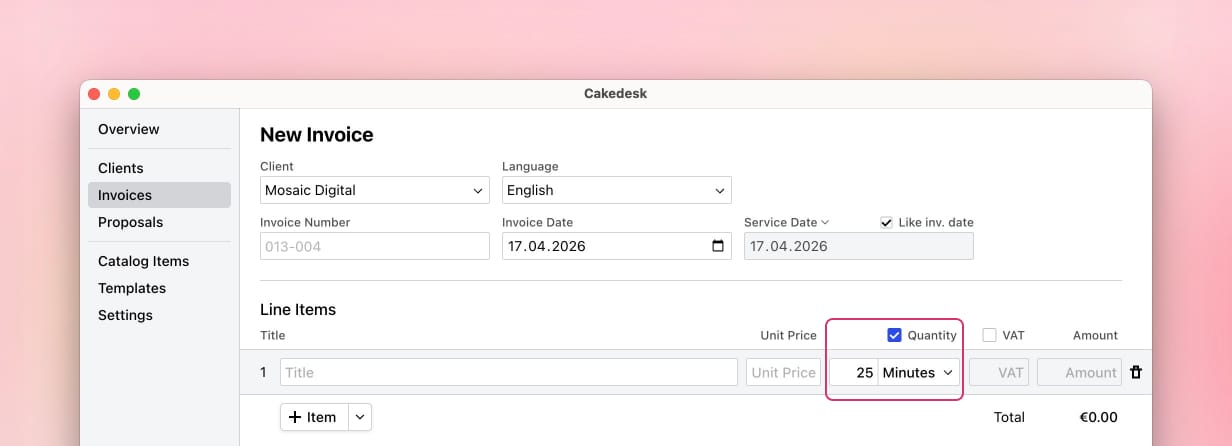
To use units, enable the "Quantity" checkbox in the table header of the line items when editing an invoice or proposal. This adds a quantity field and a unit dropdown to each item.
#Selecting a unit
To assign a unit to an item, click the unit dropdown next to the quantity field. You can search for a unit by name or select one from the list.
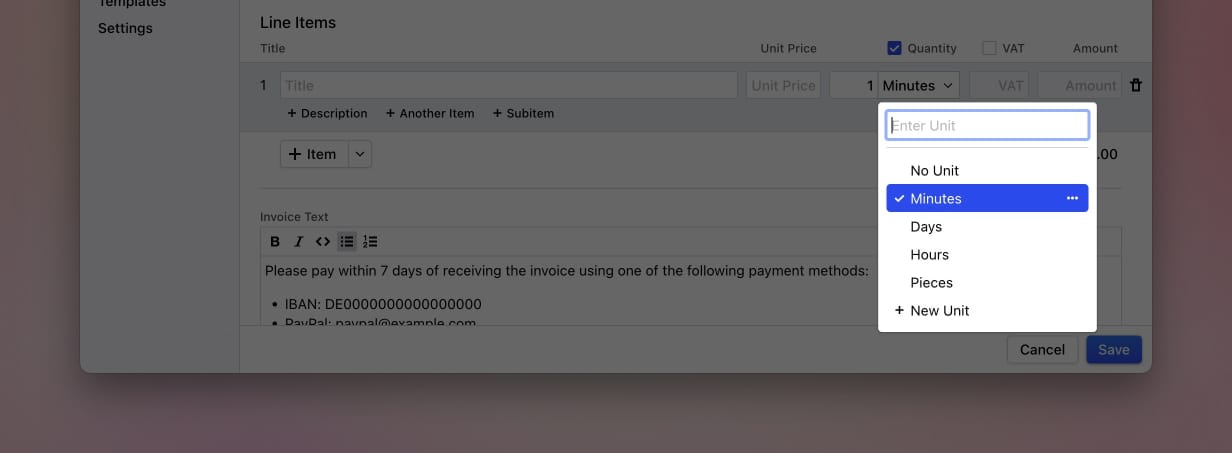
To remove a unit from an item, open the unit dropdown and select "No Unit".
#Adding a unit
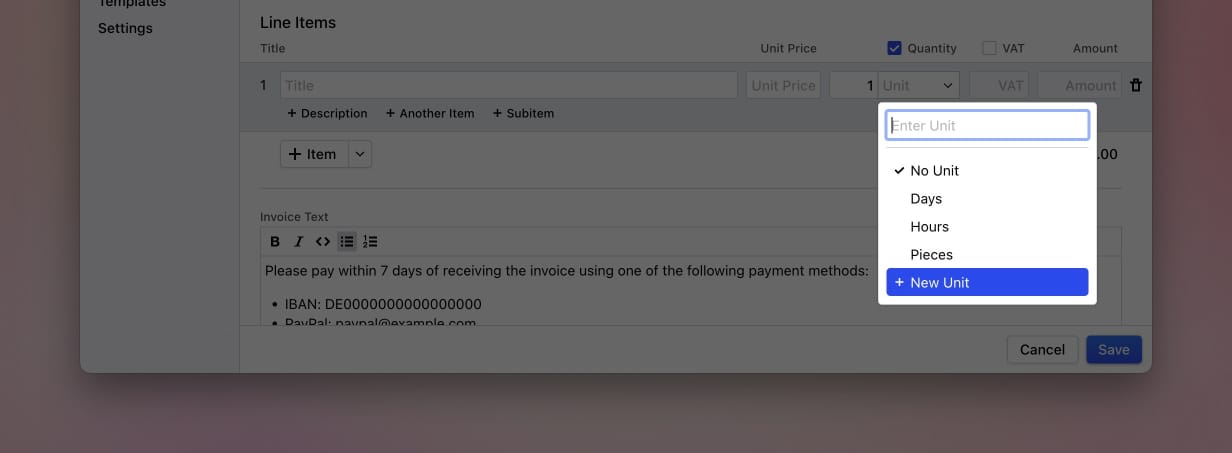
You can create a new unit directly from the unit dropdown. Click the unit dropdown on any item and then select "New Unit" at the bottom of the list.
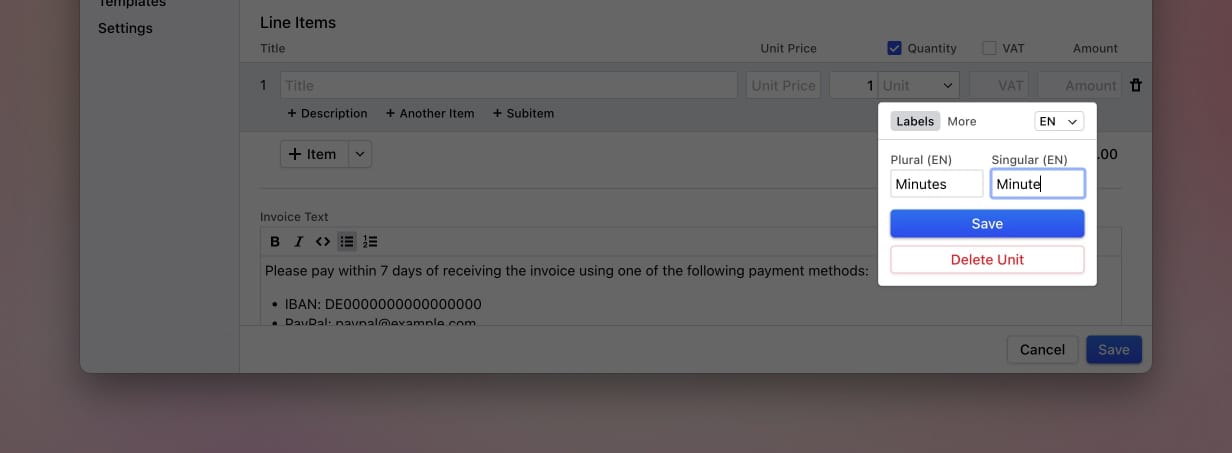
This opens a form where you can enter the plural and singular labels for the unit. At least one label field must be filled in to create the unit.
If you use multiple template languages, you can switch between languages to enter labels for each one.
#Editing a unit
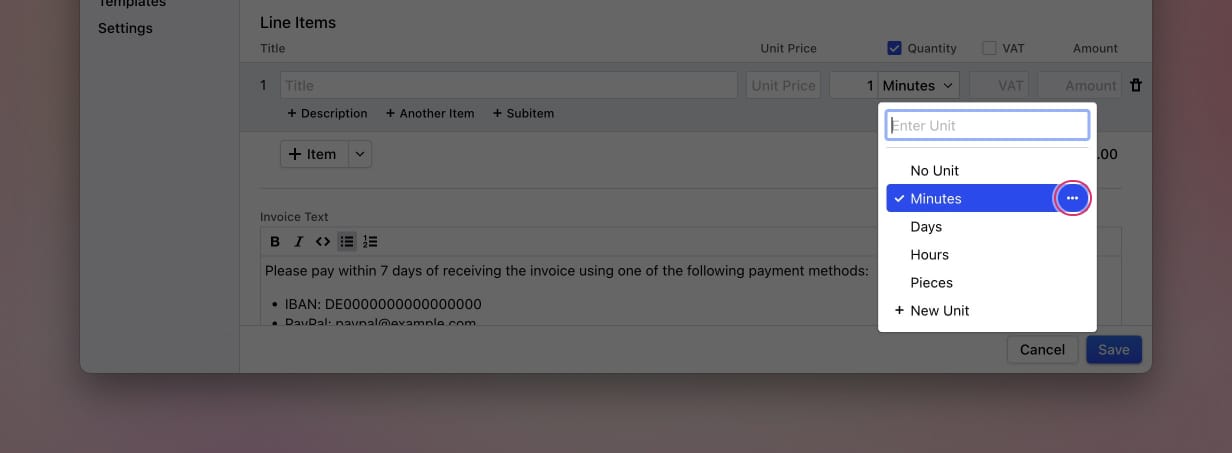
To edit an existing unit, open the unit dropdown on any item, then click the three-dot menu next to the unit you want to edit. This opens the same form as when adding a unit, allowing you to change the labels or the UN/ECE code.
#Deleting a unit
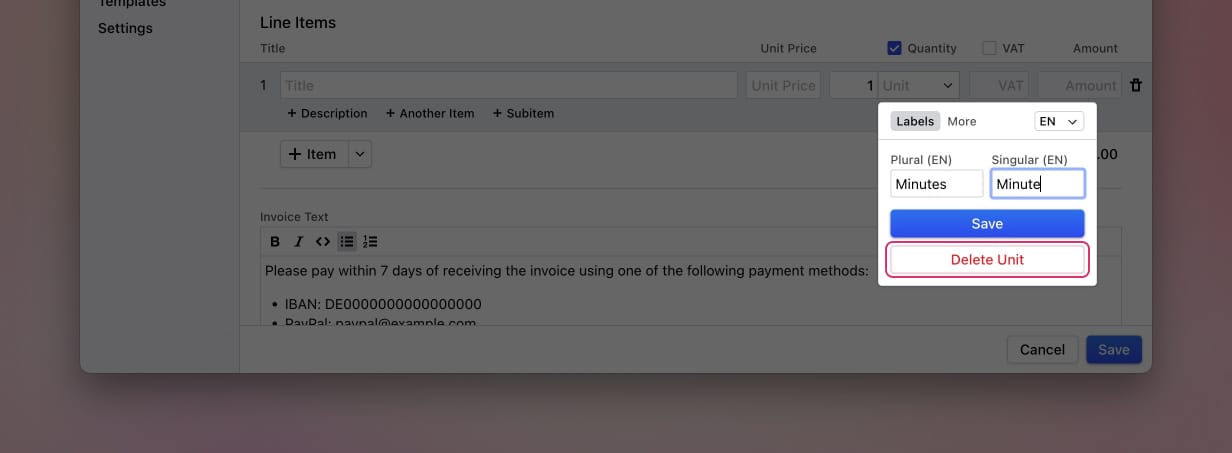
To delete a unit, open the unit dropdown on any item, click the three-dot menu next to the unit, and then click "Delete Unit".
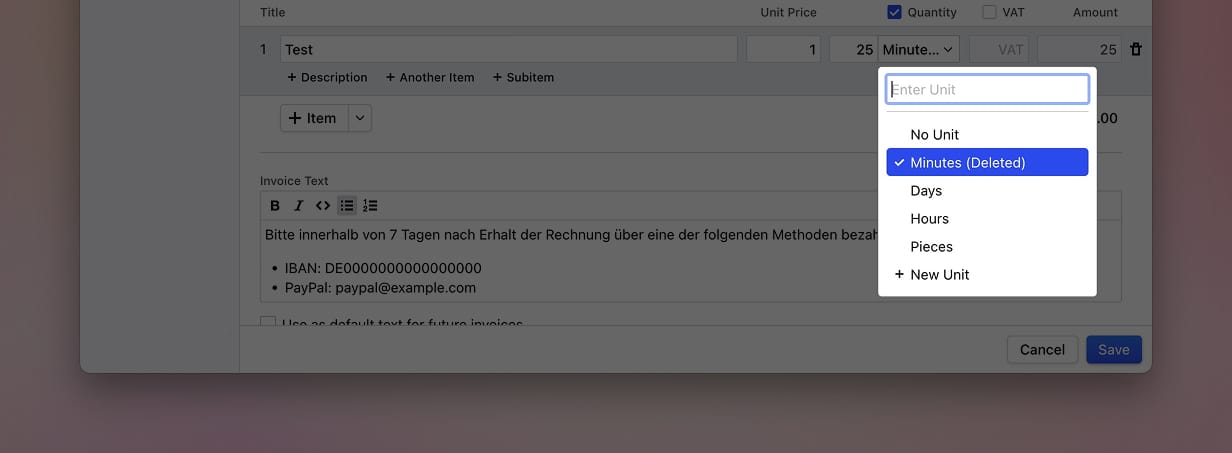
If a deleted unit is still assigned to existing invoices or proposals, it will continue to appear on those documents. In the unit dropdown, it will be shown with a "(deleted)" label. You can replace it with a different unit or select "No Unit".
#Built-in units
Cakedesk comes with three built-in units:
| Unit | Example | UN/ECE Code |
|---|---|---|
| Hours | 5 Hours / 1 Hour | HUR |
| Days | 3 Days / 1 Day | DAY |
| Pieces | 10 Pieces / 1 Piece | H87 |
These units are pre-configured with labels in all supported template languages and include a UN/ECE code for e-invoicing compatibility.
#Advanced: UN/ECE codes
UN/ECE codes (formally "UN/ECE Recommendation 20") are standardized codes for units of measurement maintained by the United Nations. They are required when generating e-invoices in formats such as XRechnung and ZUGFeRD.
Setting UN/ECE codes for units is available since Cakedesk version 1.33.0.
Note: UN/ECE codes are only available if e-invoices are enabled. E-invoices are currently only available for German users. If e-invoices are not enabled, you won't see the "More" tab in the unit form.
When you create an e-invoice in Cakedesk, the UN/ECE code of each item's unit is included in the electronic invoice data. If an item has no unit or the unit has no UN/ECE code, Cakedesk uses H87 (Piece) as the default.
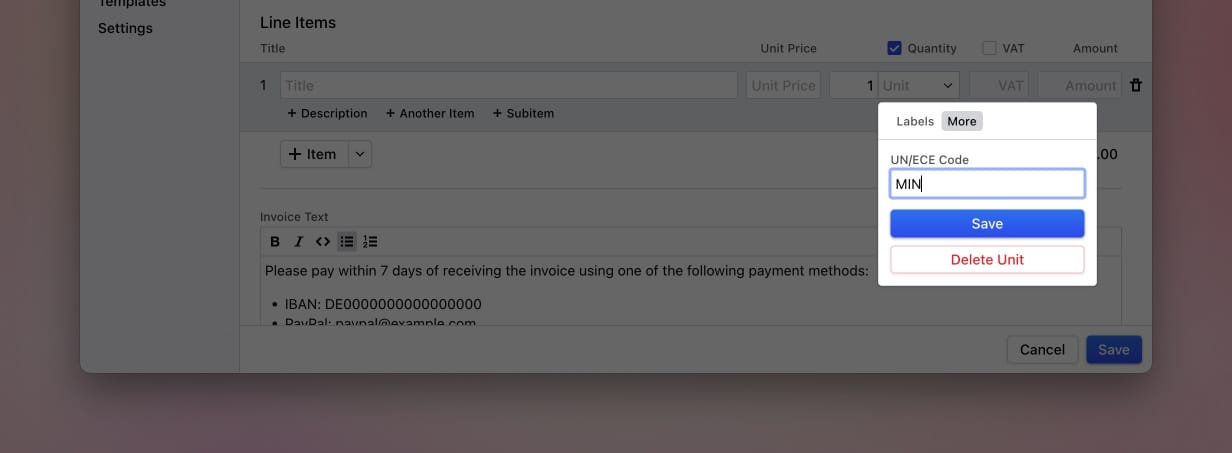
You can set the UN/ECE code for a unit under the "More" tab when adding or editing a unit.
#Common UN/ECE codes
Here are some UN/ECE codes that are commonly used when invoicing:
| Code | Unit | Description |
|---|---|---|
| H87 | Piece | An individual item or article |
| HUR | Hour | 60 minutes |
| DAY | Day | 24 hours |
| MON | Month | One calendar month |
| ANN | Year | One calendar year |
| WEE | Week | 7 days |
| MIN | Minute | 60 seconds |
| KGM | Kilogram | Unit of weight |
| MTR | Metre | Unit of length |
| LTR | Litre | Unit of volume |
| MTK | Square metre | Unit of area |
| KMT | Kilometre | 1000 metres |
| SET | Set | A group of items sold together |
| LS | Lump sum | A fixed total amount |
| C62 | One (unit) | A single unit (generic) |
For a full list, see the UN/ECE Recommendation 20 reference.