
E-Invoices
Cakedesk can create e-invoices as XRechnung XML files or ZUGFeRD PDFs. This feature is available for users in Germany.
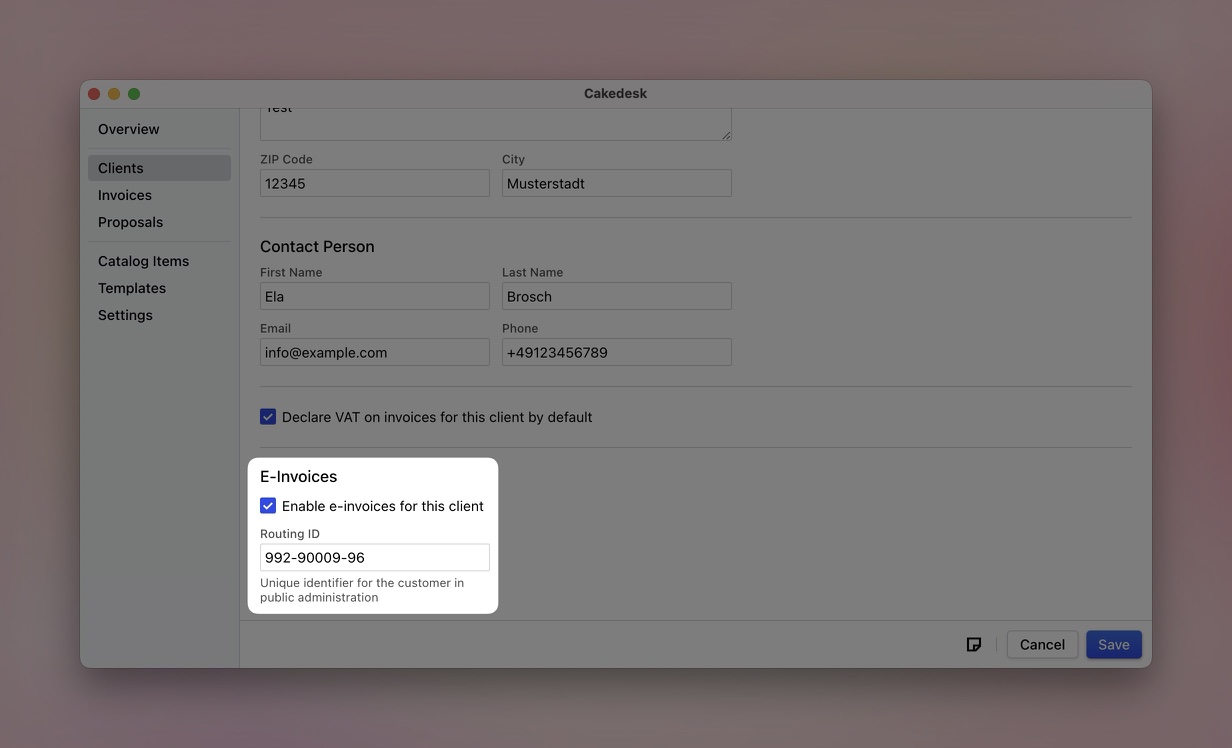
#Enable e-invoices for a client
Open the client for whom you want to create an e-invoice. In the “E-Invoices” section, enable “Enable e-invoices for this client”.
You can then enter identifiers provided by the client:
- Supplier number (BT-29): the number the client assigned to you as a supplier
- Buyer identifier (BT-46): an identifier for the client as the buyer
- Routing ID (BT-10): the recipient's identifier in German public administration
Cakedesk includes these details in the electronic invoice data.
#Create and export an e-invoice
Create an invoice for the client as usual. When you save it, Cakedesk automatically generates the electronic invoice data.
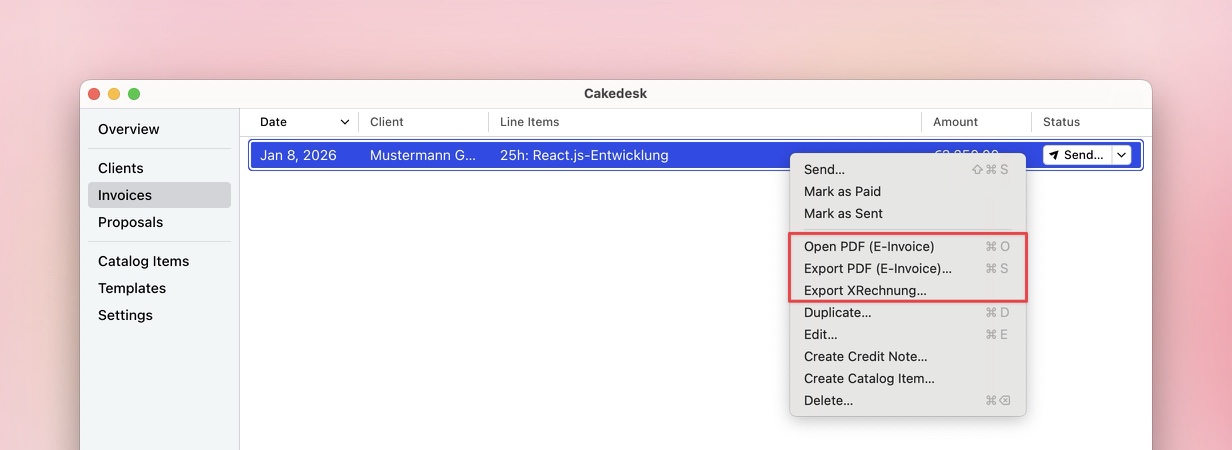
Right-click the saved invoice to access these export options:
- Open PDF (E-Invoice): opens a ZUGFeRD PDF with embedded XML data
- Export PDF (E-Invoice): saves the ZUGFeRD PDF
- Export XRechnung: saves the invoice as an XML file
#Enter details for e-invoices
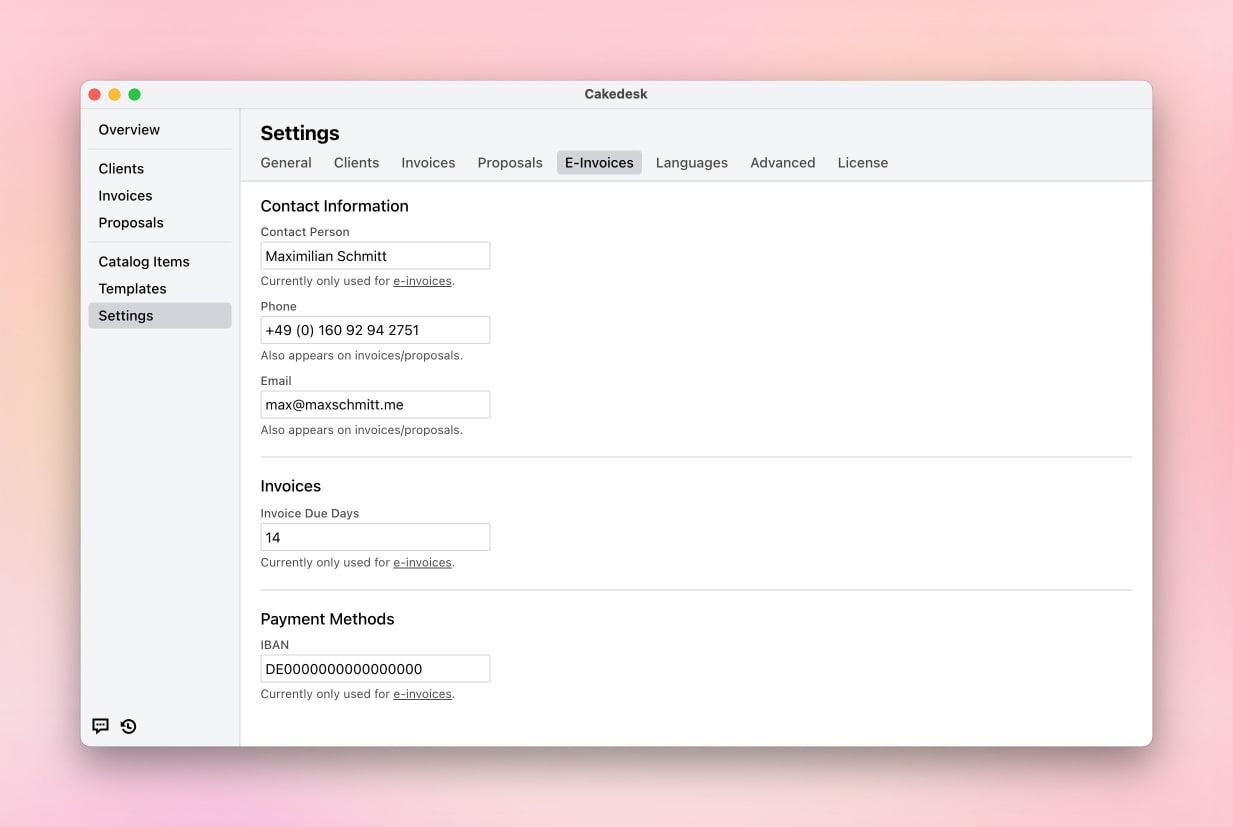
Under Settings > E-Invoices, you can enter details Cakedesk needs for
electronic invoices:
- Contact person name: the name of your contact person
- Phone and email: your contact details
- Invoice due days: the number of days until payment is due
- Account holder, IBAN, and BIC: your bank details
Before exporting, check that all required details are complete and correct.
When creating an e-invoice, you can also enter optional references:
- Project reference (BT-11): project ID and project name
- Contract reference (BT-12): reference to a contract
- Purchase order reference (BT-13): the buyer's purchase order number
- Sales order reference (BT-14): your sales order number
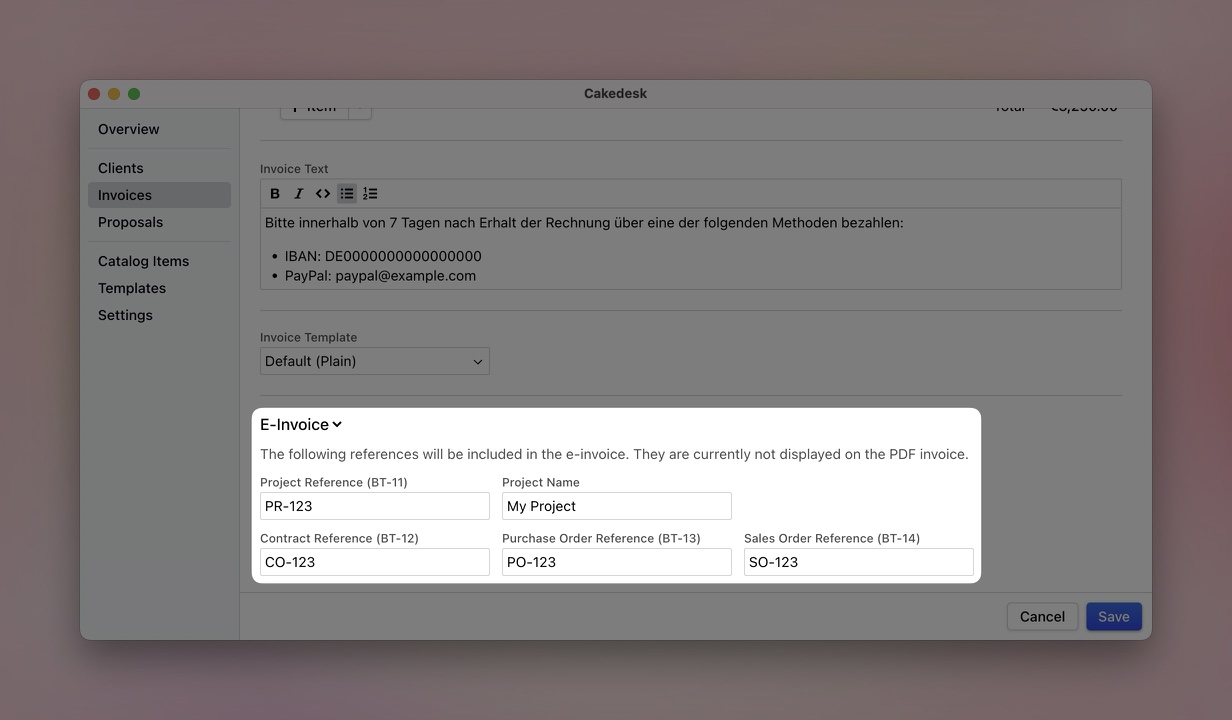
The references are included in the electronic invoice data but are currently not shown on the PDF invoice.
#Export cancellations as e-invoices
Cakedesk can also export cancellation invoices and cancellation credit notes as e-invoices. In XRechnung, the cancellation document uses the appropriate cancellation type and references the canceled document.
#Gross pricing limitation
E-invoices are currently unavailable for documents that use gross pricing. Use net pricing for XRechnung files and ZUGFeRD PDFs.