
Cancellations
Since version 1.34.0, Cakedesk can create cancellation documents for invoices and credit notes. When you cancel an invoice, Cakedesk creates a cancellation invoice. When you cancel a credit note, Cakedesk creates a cancellation credit note.
#Creating a cancellation invoice
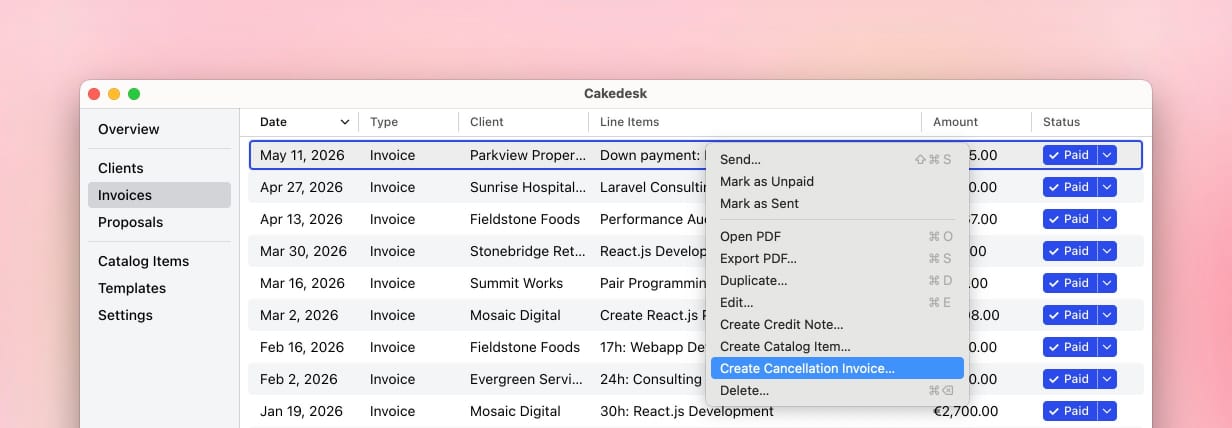
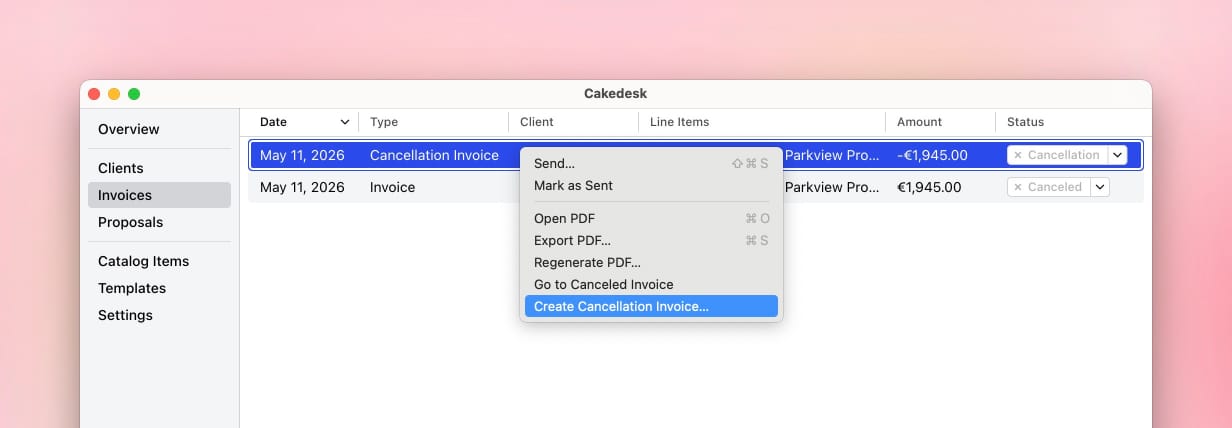
To create a cancellation invoice, open the invoice list and right-click the invoice you want to cancel. Then choose "Create Cancellation Invoice...".
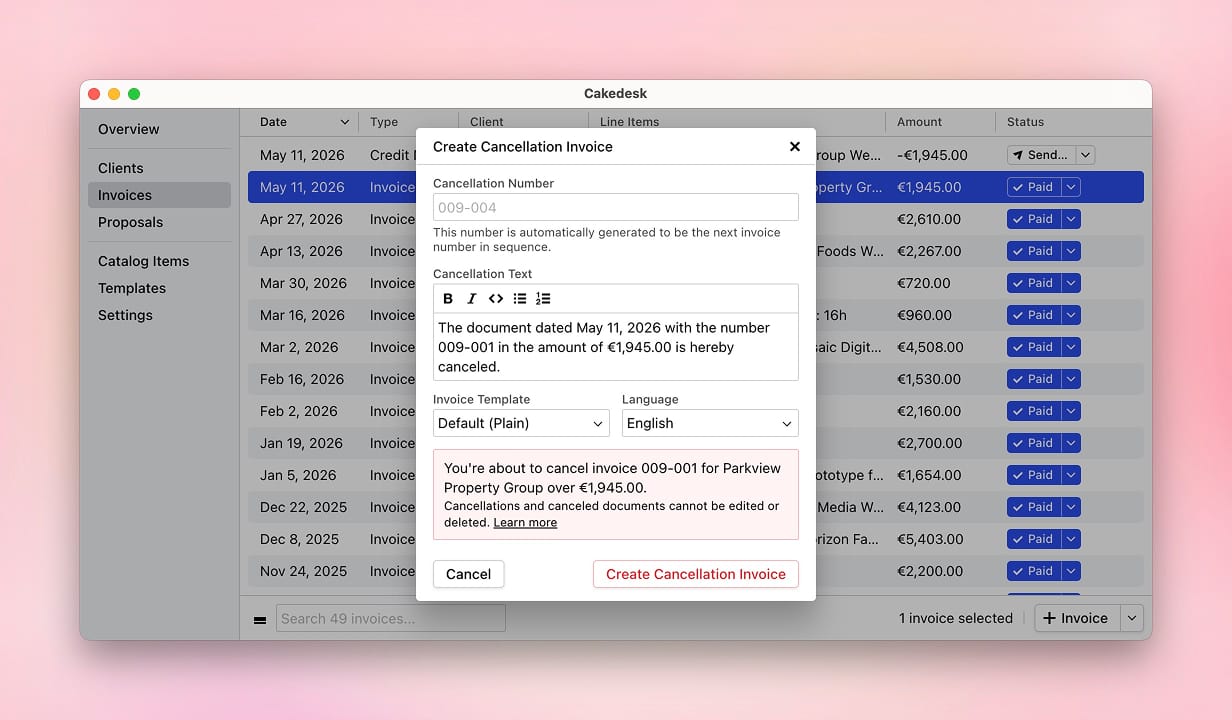
In the next step, you can adjust the cancellation number, cancellation date, cancellation text, template, and language before the document is created.
#Creating a cancellation credit note
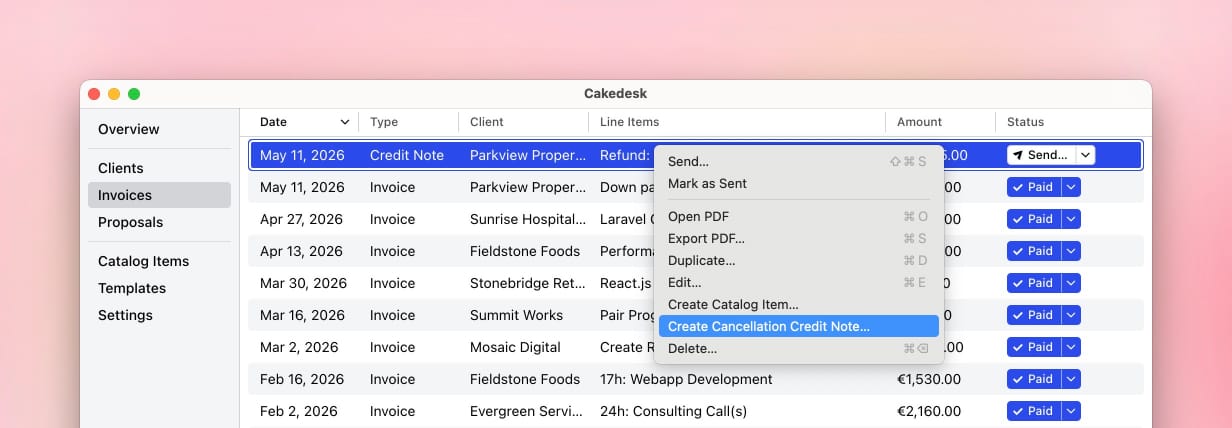
A cancellation credit note is created in the same way: right-click a credit note in the invoice list and choose "Create Cancellation Credit Note...".
#Finding cancellation invoices again
After a cancellation, the original document and the cancellation invoice are moved to an archived view. In Strict Mode, this only happens once you finalize the cancellation. You can switch between active documents and cancellations using the bottom navigation bar.

#Editing cancellation invoices
Canceled documents cannot be edited or deleted. This protects the cancellation chain and keeps the document history traceable.
As long as a cancellation document hasn't been finalized, you can still change its number, date, text, template, and language. To do so, right-click the cancellation and choose "Edit...". The amounts and the canceled document stay the same.
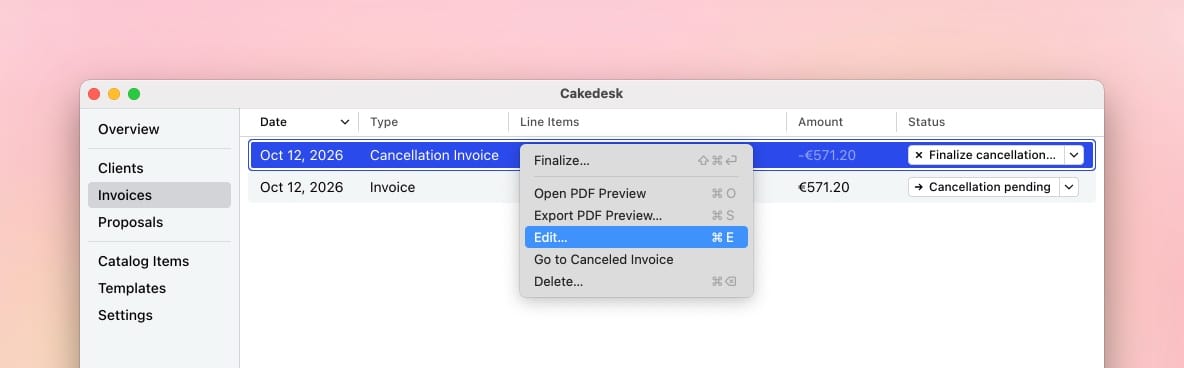
If you no longer need a cancellation that hasn't been finalized, you can also delete it. This undoes the cancellation of the original document.
Finalized cancellation documents cannot be edited or deleted, even if you turn off Strict Mode.
#Finalizing cancellations in Strict Mode
If Strict Mode is enabled, you can only cancel finalized documents. The new cancellation is a draft until you finalize it, just like any other invoice. While it is a draft, the original document shows "Cancellation pending" in the status column.
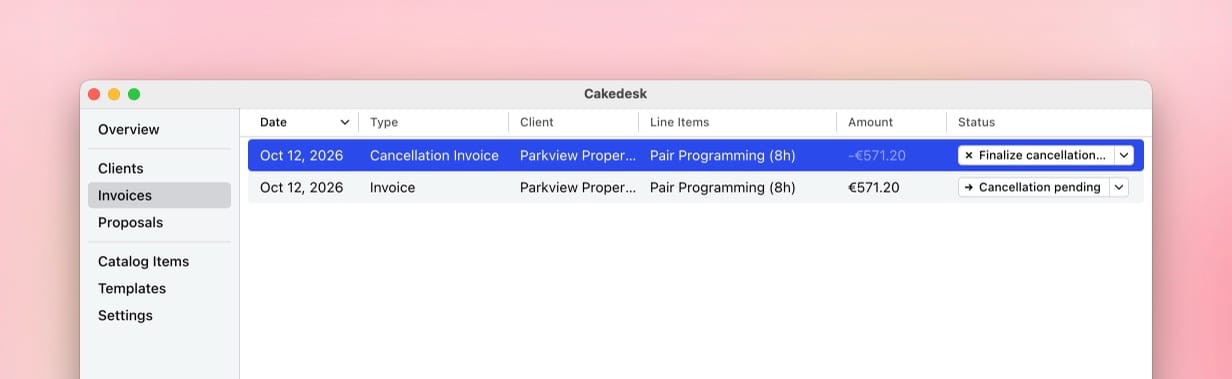
To finalize the cancellation, click "Finalize cancellation" in its status column. After that, you can send the cancellation, and the original document is permanently canceled.
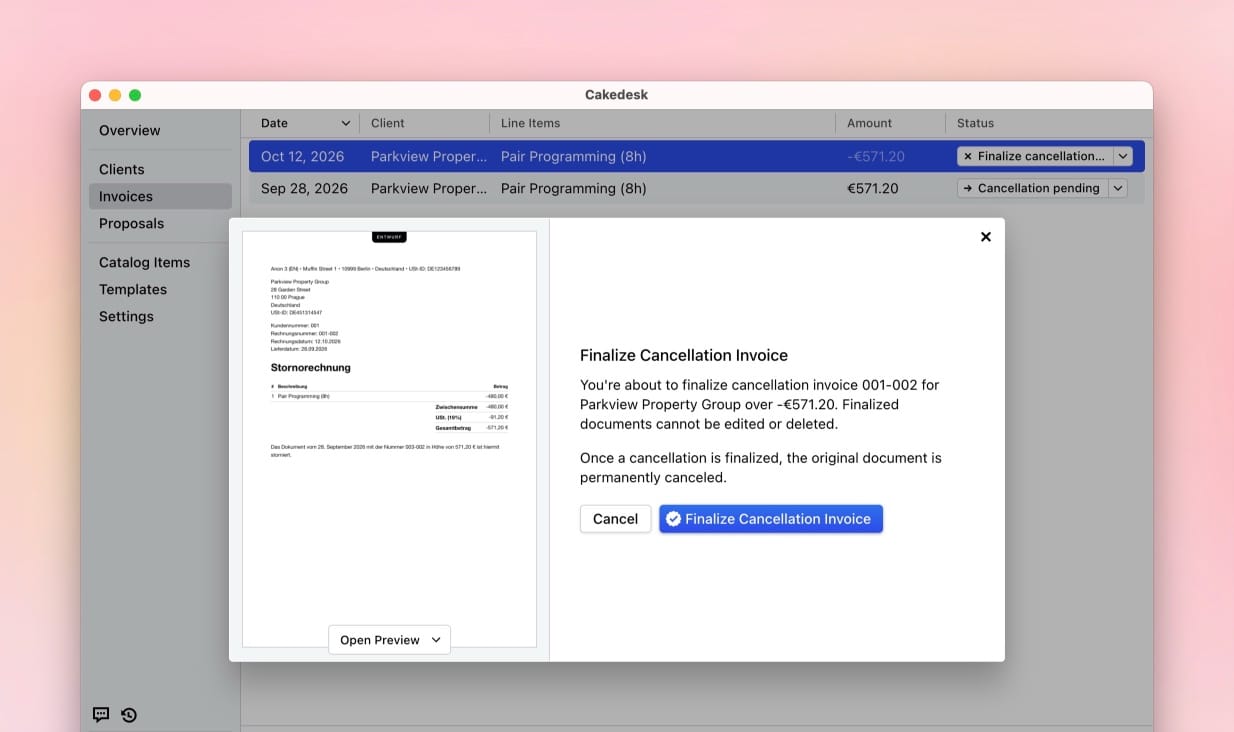
#Canceling a cancellation document
If you created a cancellation by mistake and it hasn't been finalized yet, you can simply delete it. Once a cancellation has been finalized, you can cancel the cancellation document instead. Cakedesk will create another cancellation document that references the previous one.
#Cancellation text
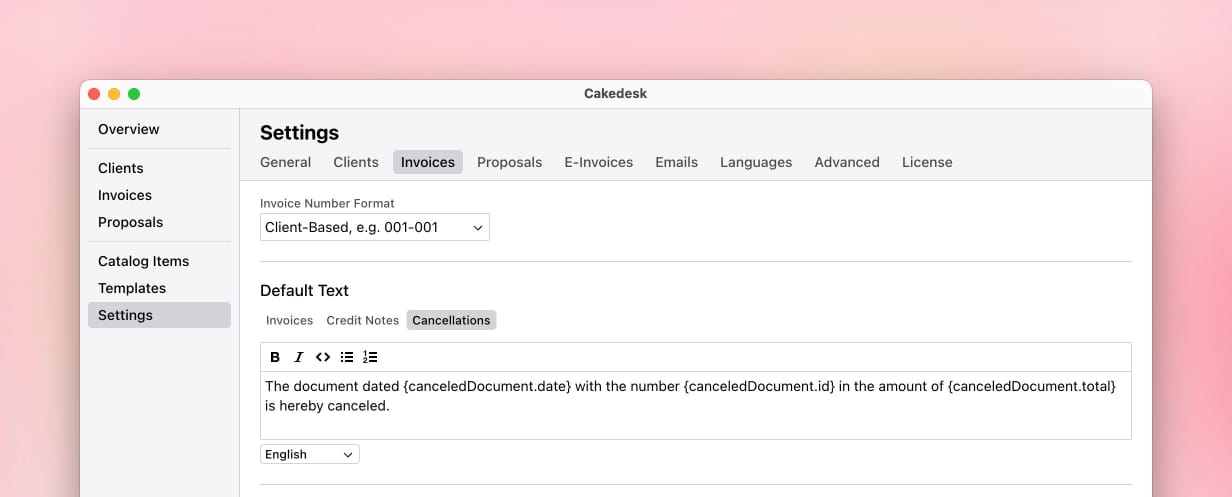
You can change the default cancellation text under Settings > Invoices. In the text template section, switch to the "Cancellations" tab.
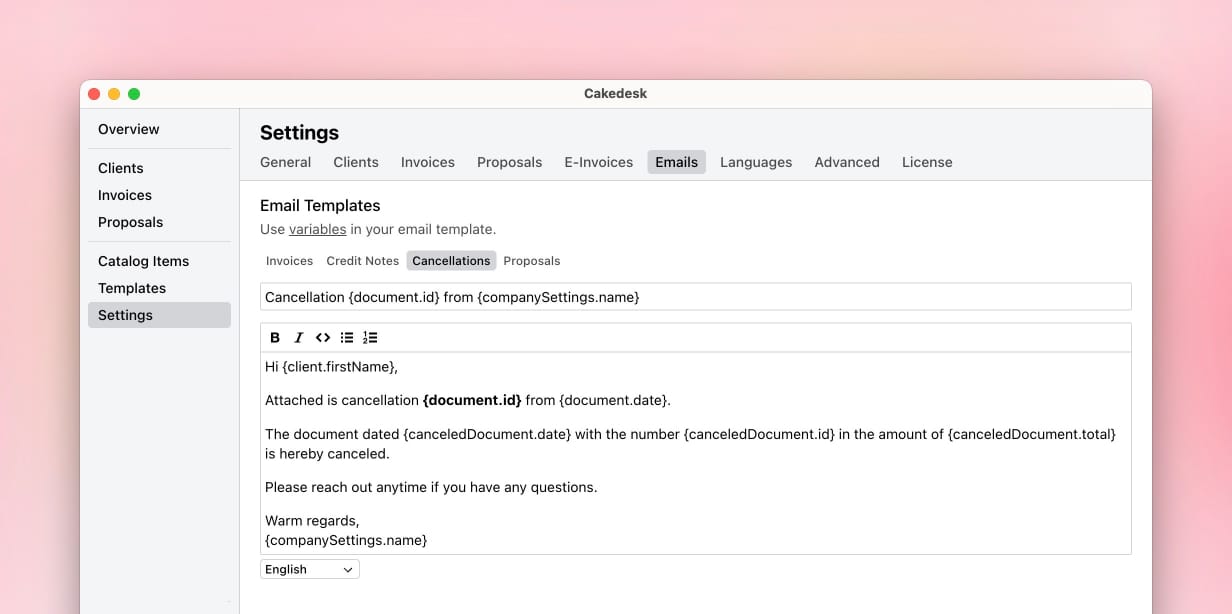
If you send cancellation documents by email, you can also customize the email template under Settings > Emails in the "Cancellations" tab.
#Variables
Cancellation text templates can use these variables:
canceledDocument.id | The invoice or credit note number of the canceled document |
canceledDocument.date | The date of the canceled document |
canceledDocument.total | The total amount of the canceled document, formatted in the cancellation language |
Example:
The document dated {canceledDocument.date} with the number {canceledDocument.id} in the amount of {canceledDocument.total} is hereby canceled.
#Cancellation invoices and e-invoices
If e-invoices are enabled for the document, Cakedesk can also export the cancellation as XRechnung or ZUGFeRD. In the XML data, cancellation documents use the cancellation type and reference the document they cancel.
#Cancellation invoices in custom templates
If you use a custom template, make sure it handles the CANCELLATION document type. The easiest way is to use getDocumentTitle(), which returns the correct title for invoices, credit notes, cancellation invoices, cancellation credit notes, and proposals.
For more details, see Updating custom templates for cancellations.