
ID formats
In Cakedesk, every client, invoice and proposal has a unique ID.
You can change the format of these IDs under Settings for Clients, Invoices and Proposals.
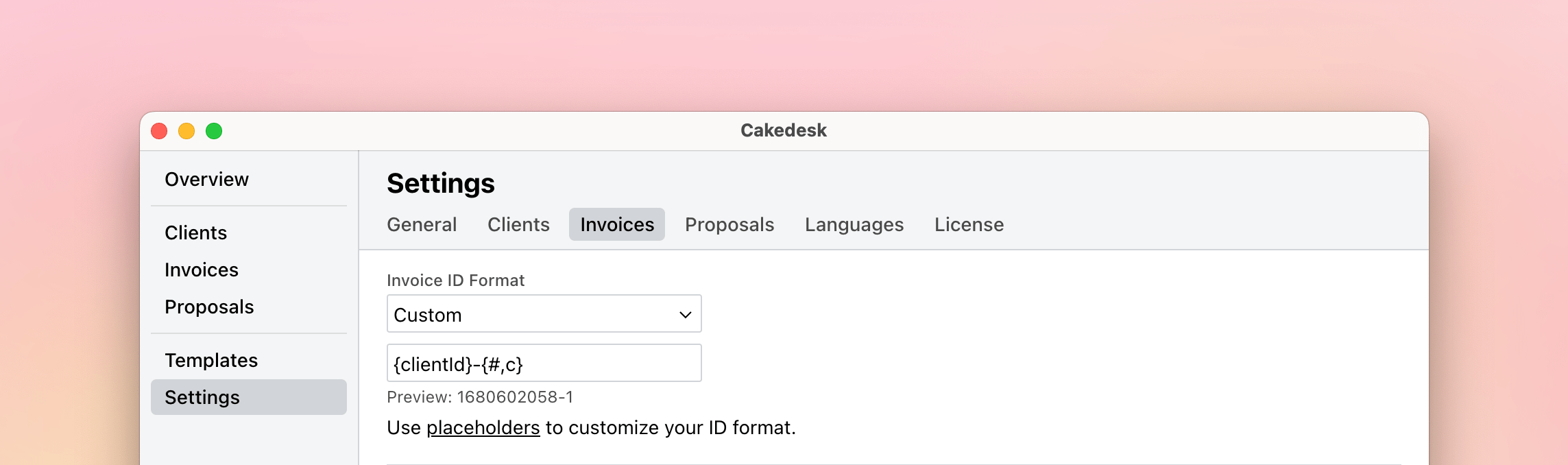
#Setting a starting number
When you create your first invoice, you can manually enter the invoice number. If this number matches your configured ID format, Cakedesk will automatically increment from that number for subsequent invoices.
Example: You've chosen the format {yyyy}-{###,y} and enter 2026-050 for your first invoice. The next invoice will automatically receive the number 2026-051.
This is useful when switching from another invoicing software and you want to continue your invoice numbering sequence.
#Built-in ID formats
The following ID formats are built-in:
| Name | Example | Syntax |
|---|---|---|
| Year-based | 2023-001 | {yyyy}-{###,y} |
| Month-based | 2023-06-01 | {yy}-{mm}-{##,m} |
| Client-based (invoices/proposals only) | 1679527124-001 | {clientId}-{###,c} |
| Counter (3 digits) | 001 | {###} |
| Counter (6 digits) | 000001 | {######} |
| Timestamp | 1679527124 | {ts} |
#Custom ID-formats
You can also create completely custom ID formats by using one or more placeholders.
Always make sure to include some kind of counter, otherwise Cakedesk can't autogenerate unique IDs.
| Name | Example | Syntax |
|---|---|---|
| Year (4 digits) | 2023 | {yyyy} |
| Quarter (1 digit) | 4 | {q} |
| Year (2 digits) | 23 | {yy} |
| Month | 03 | {mm} |
| Counter | 001 | {###} (number of # symbols determines the padding) |
| Yearly counter | 0001 | {####,y} (number of # symbols determines the padding) |
| Quarterly counter | 0001 | {####,q} (number of # symbols determines the padding) |
| Monthly counter | 0001 | {####,m} (number of # symbols determines the padding) |
| Daily counter | 0001 | {####,d} (number of # symbols determines the padding) |
| Client-based counter (invoices/proposals only) | 0001 | {####,c} (number of # symbols determines the padding) |
| UNIX timestamp | 1679527124 | {ts} |