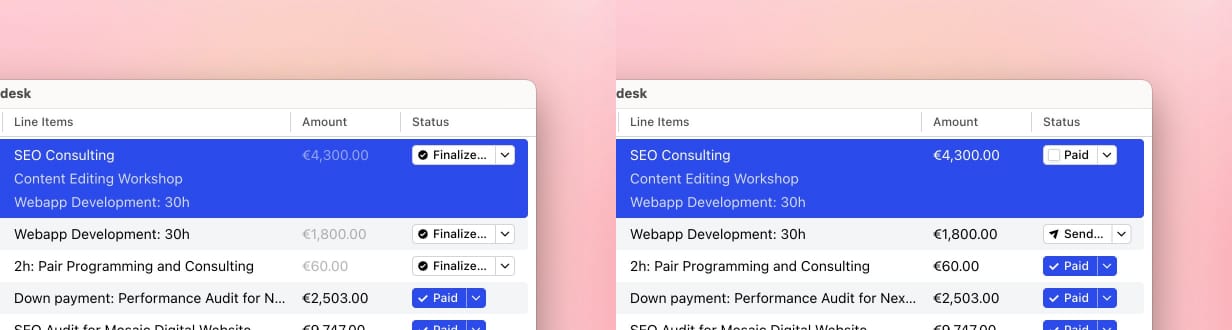
Strict Mode
Strict Mode helps protect finalized invoices and credit notes from accidental changes.
This feature is available in Cakedesk version 1.36.0 and later.
#What applies when Strict Mode is enabled?
- Documents must be finalized before they can be sent or marked as paid
- Finalized documents can no longer be edited or deleted
- To cancel a finalized document, you can create a cancellation invoice
- Strict Mode can be turned on or off at any time, with each change recorded in the revision history
#Turning Strict Mode on
To turn on Strict Mode, go to Settings > Advanced and select "Turn On Strict Mode".
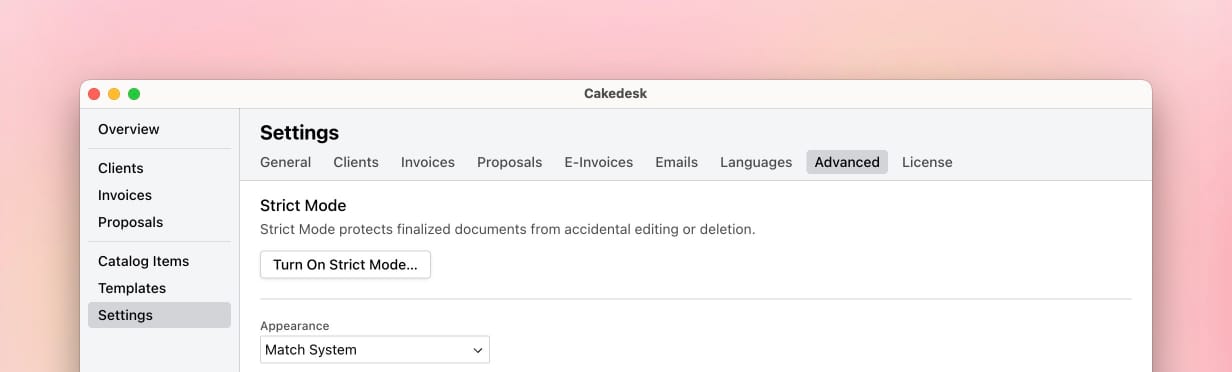
You can turn Strict Mode on or off at any time. Cakedesk records each change in the revision history.
#Finalizing documents
When Strict Mode is enabled, invoices and credit notes must be finalized before they can be sent, marked as paid, or canceled.
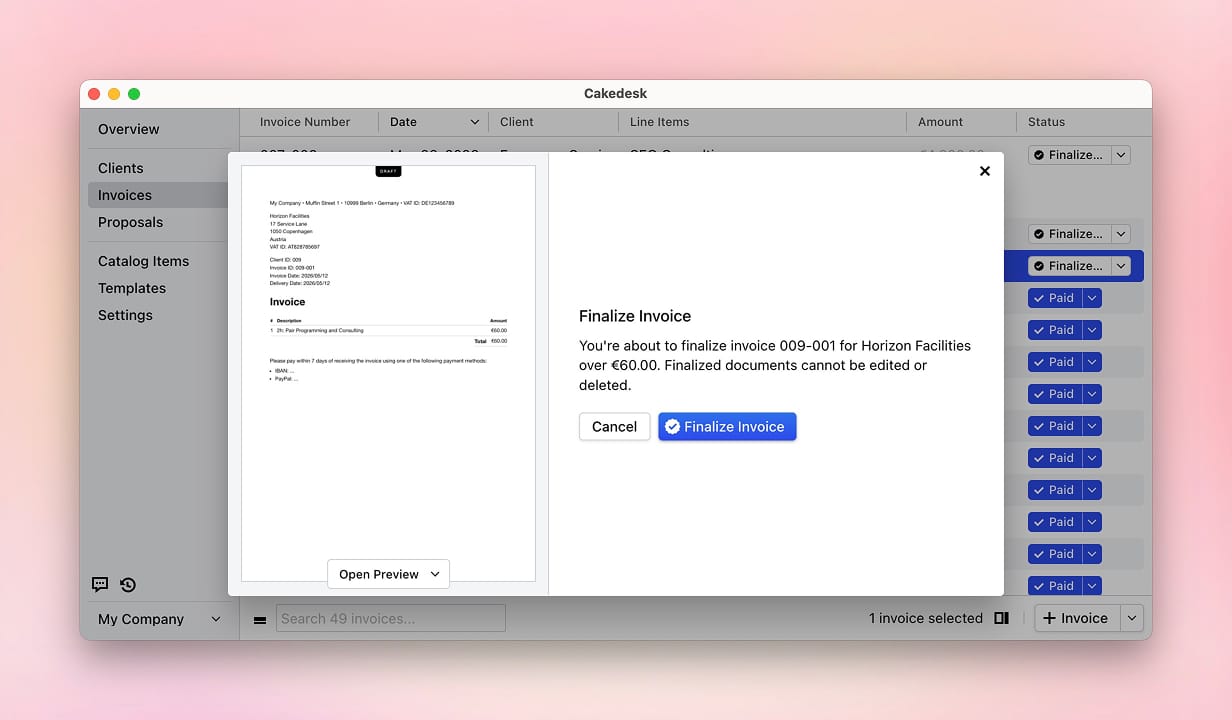
To finalize a document, click the "Finalize" button on the right side of the invoice list.

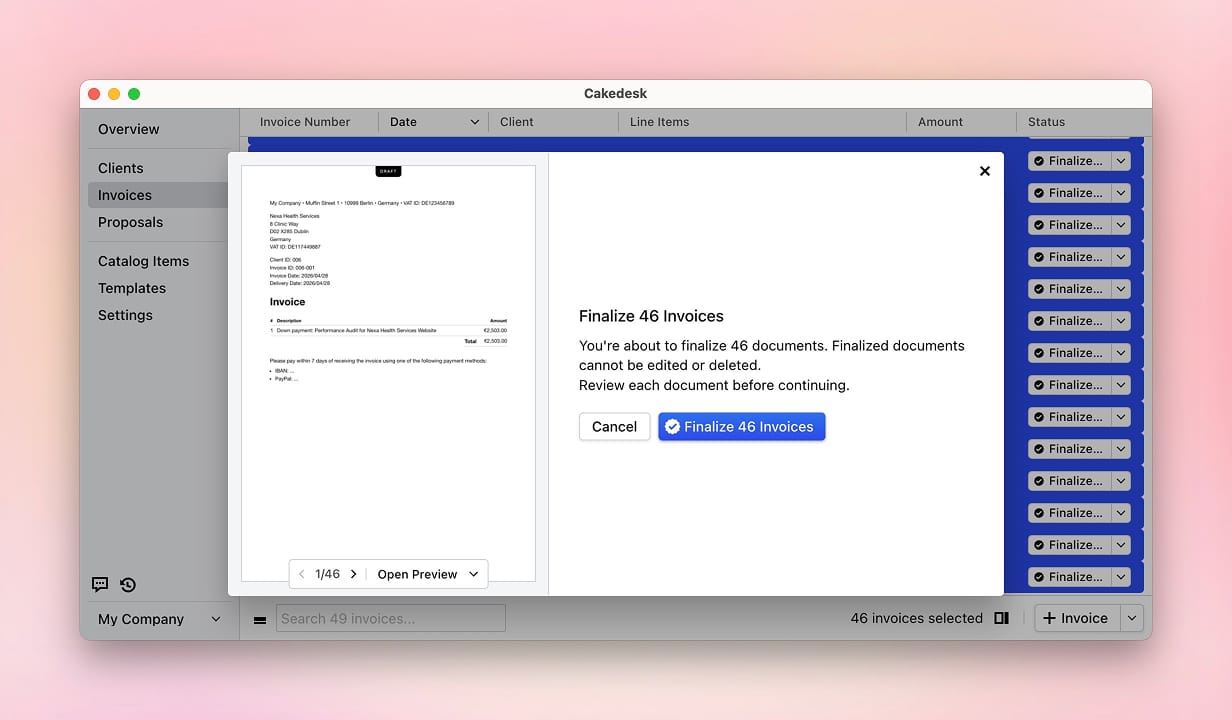
Finalizing a document confirms that its PDF is ready. Before Cakedesk finalizes the document, it shows a preview so you can review it one last time.
#Finalizing several documents at once
If you have been using Cakedesk for a while and now want to enable Strict Mode, you can finalize several invoices at the same time.
To do this, select the relevant documents while holding the Shift key. You can add or remove individual invoices by clicking them while holding the Ctrl key on Windows or the Cmd key on Mac.
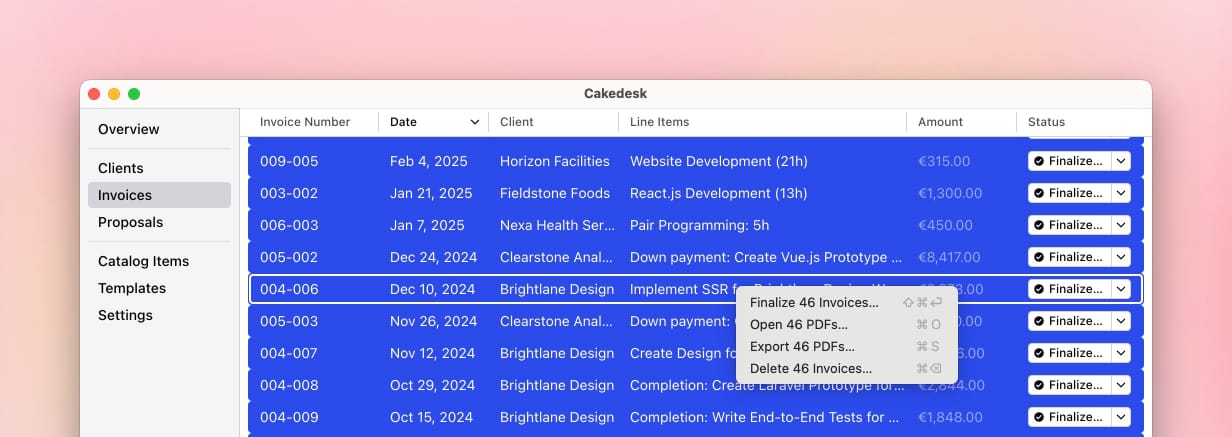
Then right-click the selection and click "Finalize" to finalize all selected documents at once.
#What changes after finalization
In Strict Mode, finalized documents cannot be edited or deleted. If you need to reverse a finalized invoice or credit note, create a cancellation document instead.
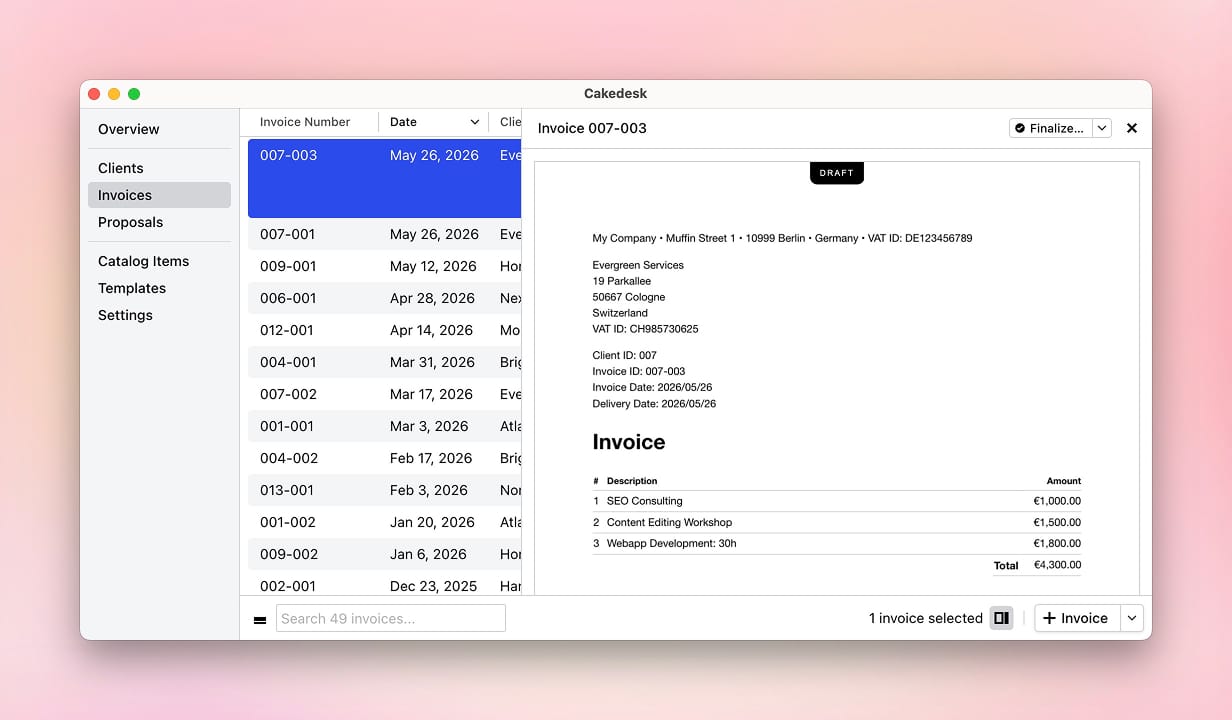
Unfinalized documents can still be edited or deleted, but they are treated as drafts. When you export or open an unfinalized PDF in Strict Mode, Cakedesk marks it with a draft stamp.
#Revenue and pending documents
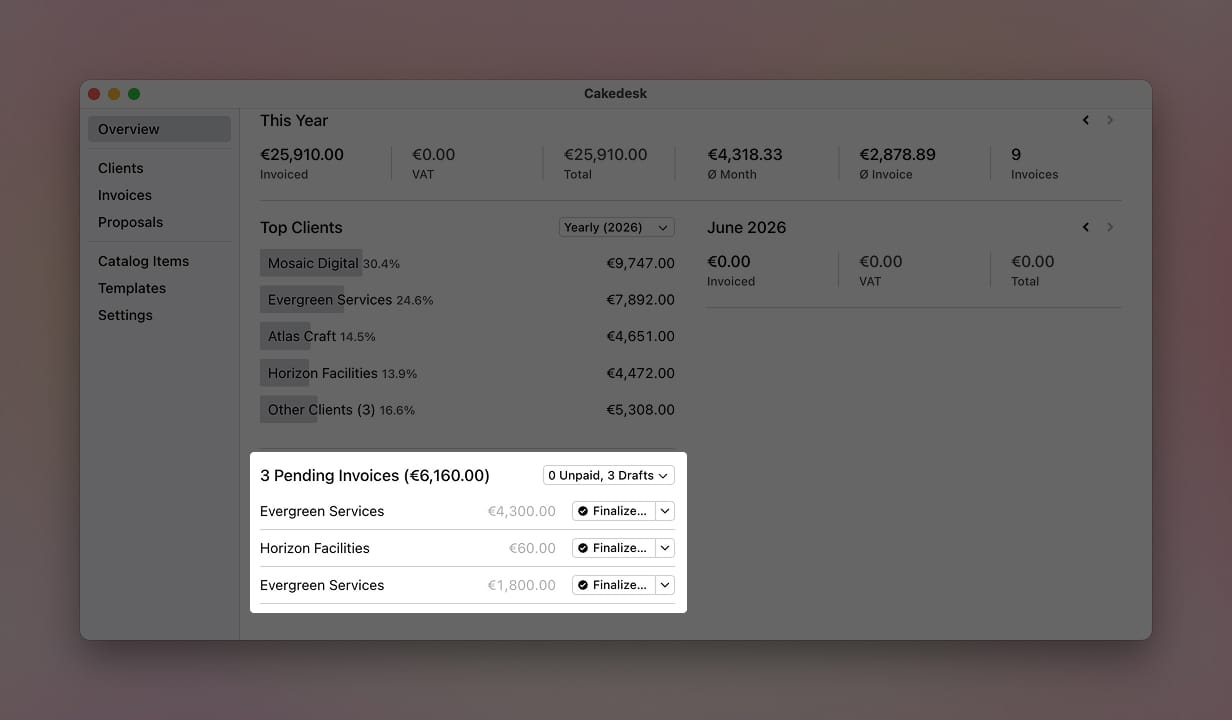
In Strict Mode, unfinalized invoices are not counted as revenue on the overview screen. They appear as pending documents until they are finalized.
The invoice list also shows whether a document has been finalized, so you can quickly find drafts that still need review.
#Turning Strict Mode off
When you turn Strict Mode off, you can send invoices again without finalizing them first. Invoices that have been finalized previously cannot be edited after turning Strict Mode off.