
Gross/net pricing
Cakedesk supports two pricing modes for invoices and proposals: net pricing
and gross pricing. Starting with version 1.29.0, you can choose which mode
to use.
#Changing the pricing mode
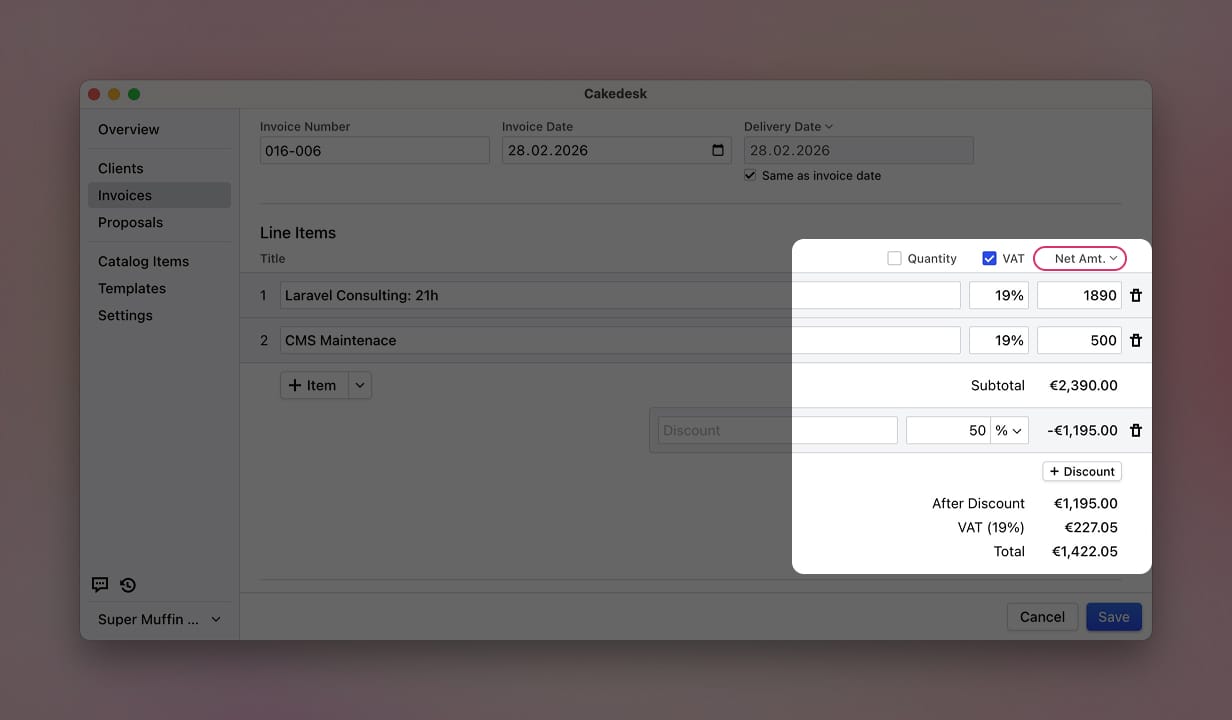
After enabling VAT for your invoice or proposal, you can choose the pricing mode using the "Net Amt." dropdown next to the VAT checkbox.
#Net pricing (default)
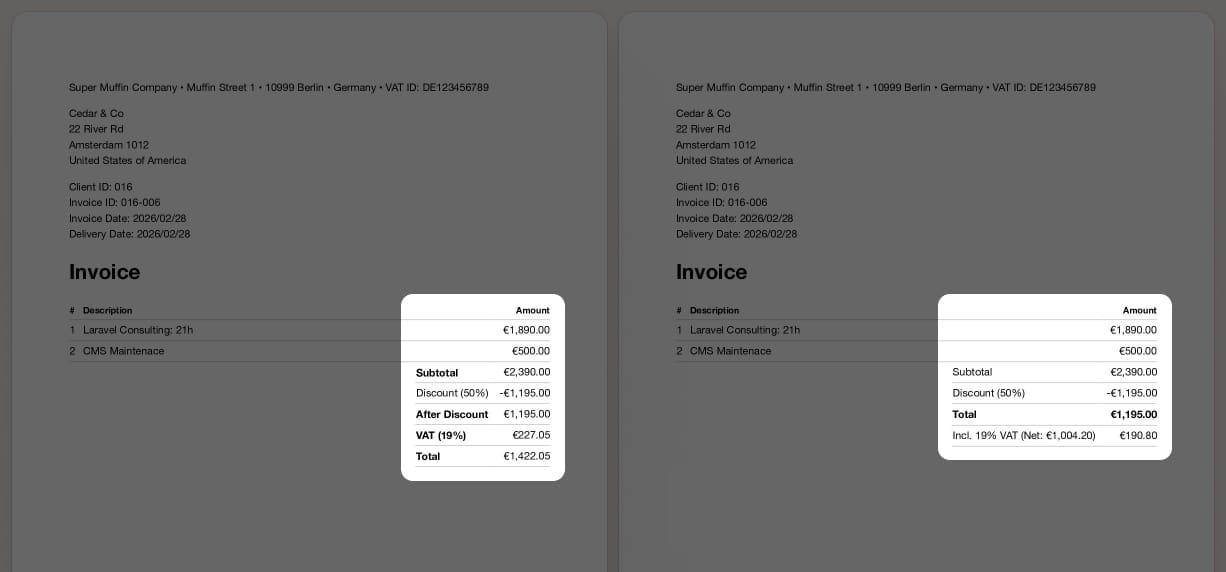
In net pricing mode, item prices are entered excluding tax. Tax is calculated on top and added to the total.
- Item prices are entered without tax.
- The subtotal is the sum of all item prices (without tax).
- Tax is calculated on the subtotal (or subtotal after discounts) and shown separately.
- The total is the subtotal plus tax.
#Gross pricing
In gross pricing mode, item prices are entered including tax. The total already contains tax, and the tax breakdown shows how much tax is included.
- Item prices are entered including tax.
- The subtotal is the sum of all item prices (including tax).
- The total equals the subtotal after discounts (since tax is already included).
- Tax subtotals show how much tax is included in the total, broken down by tax rate.
#Setting the default pricing mode
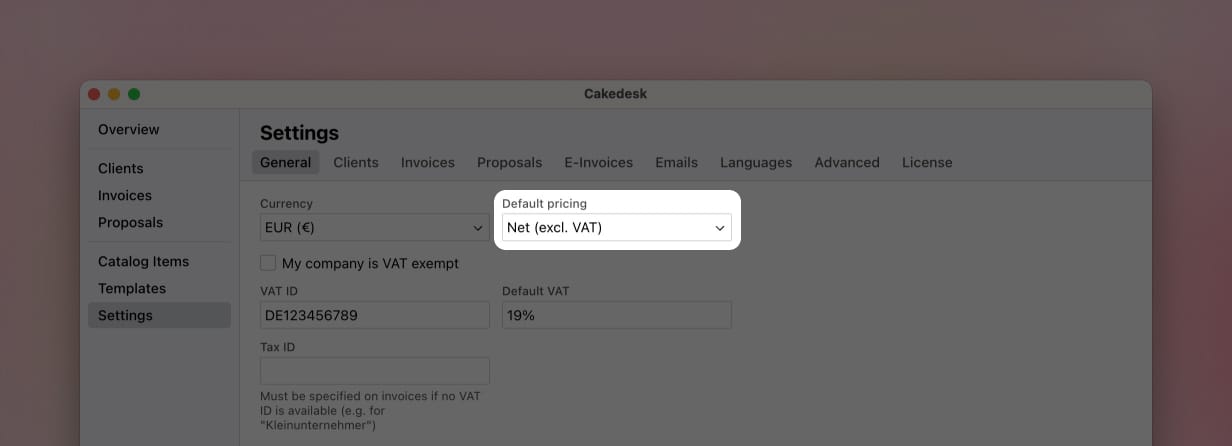
You can set the default pricing mode in Settings > General. This will apply to all new invoices and proposals.
#Pricing modes and e-invoices
E-invoices (XRechnung/ZUGFeRD) are currently only available for invoices that use net pricing. If an invoice uses gross pricing, Cakedesk will not generate an e-invoice for it.
#Pricing modes in custom templates
If you use a custom template, you may need to update it to correctly handle both pricing modes. The getSummaryItems() helper function automatically adapts its output based on the pricing mode, but the order of items changes. See the article Gross pricing in custom templates for details.