
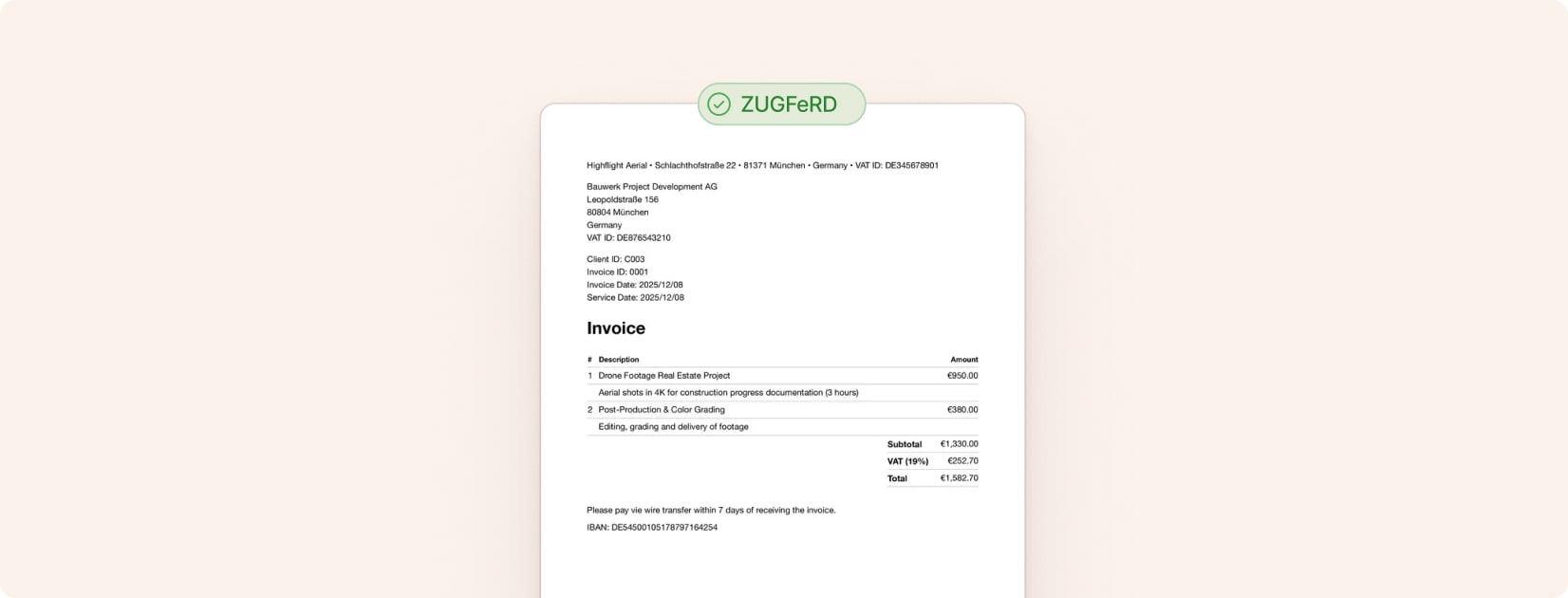
Create ZUGFeRD invoices for free (2026)
ZUGFeRD is the leading e-invoice format in Germany, combining a human-readable PDF with machine-readable XML data. You can create ZUGFeRD invoices directly in the browser or integrate them into your invoicing workflow with Cakedesk.
#Option 1: Create a ZUGFeRD invoice online
If you need a quick ZUGFeRD invoice, use the free online invoice generator. Enable Generate E-Invoice, fill in the client, invoice, and line item details, then download the ZUGFeRD PDF.
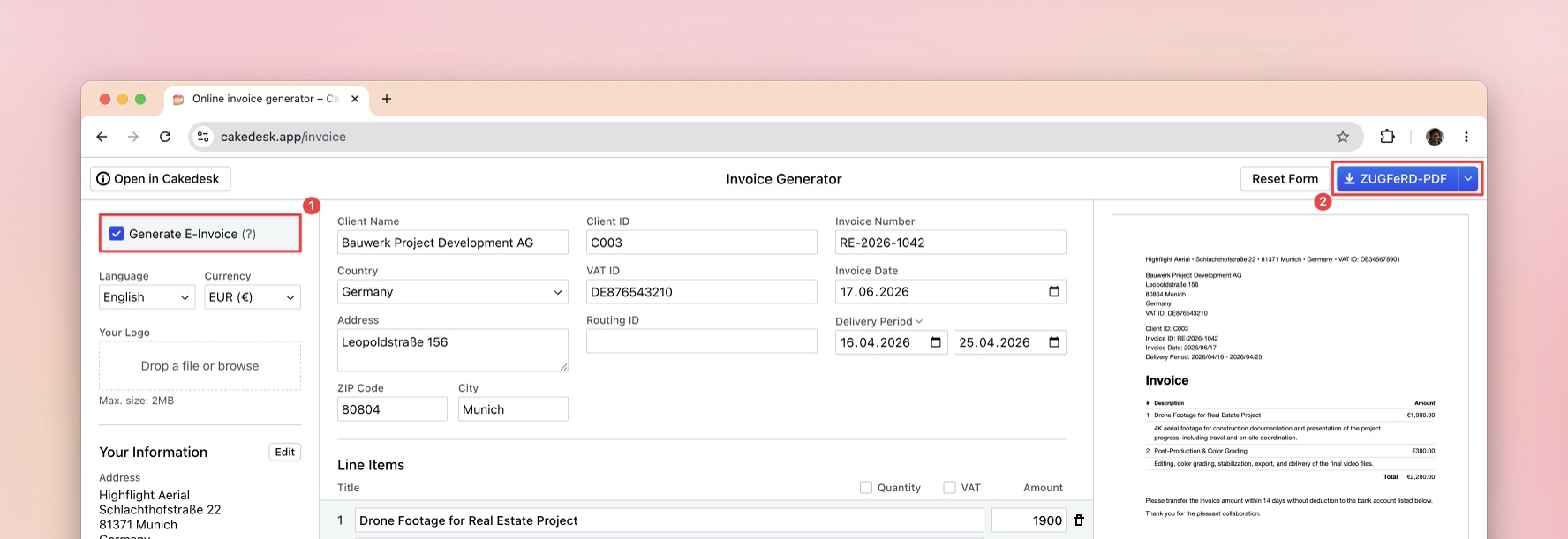
The browser option is useful when you want to start without installing anything or only need to create ZUGFeRD invoices occasionally.
👉 Create a ZUGFeRD invoice online
#Option 2: Create ZUGFeRD invoices with Cakedesk
If you create several invoices per month, installing Cakedesk is worth it. Cakedesk is a desktop app for Windows and macOS that lets you manage your invoices locally on your computer.
#1. Set up your e-invoice settings
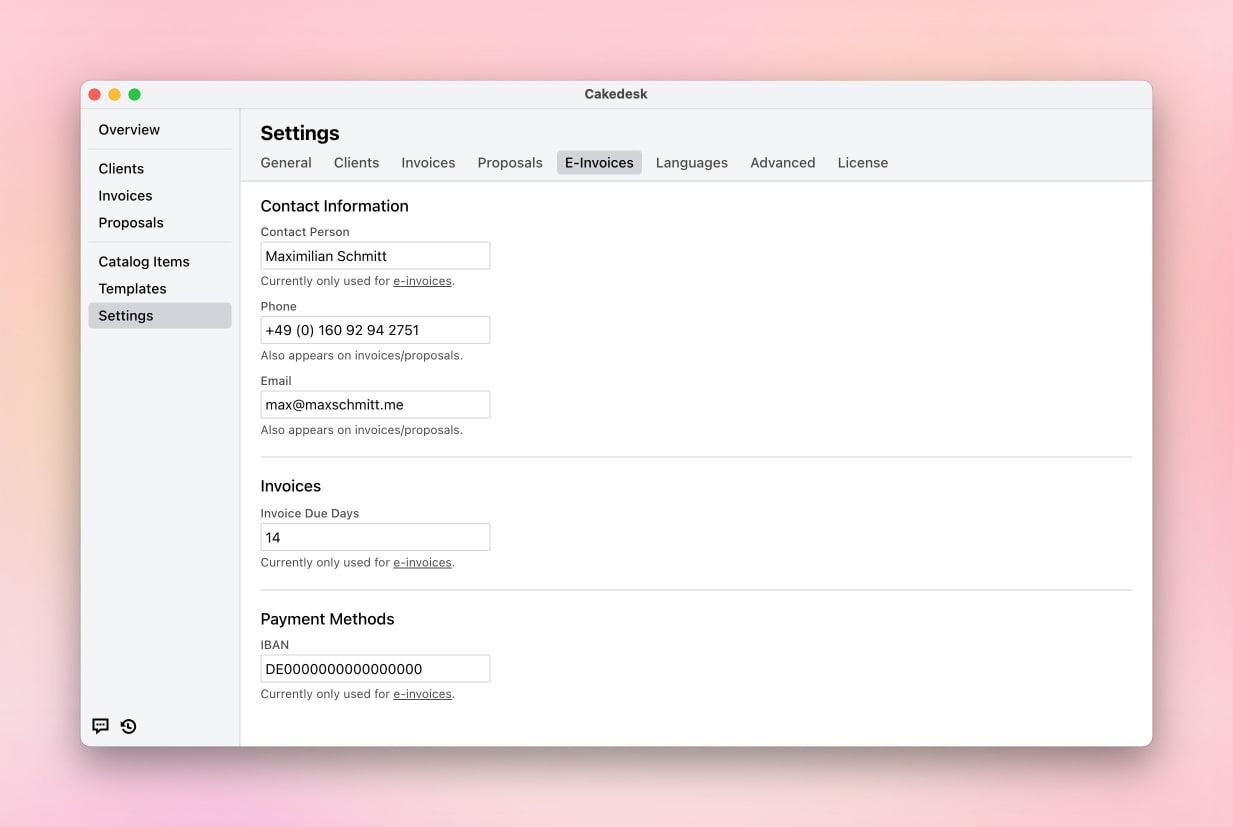
Before creating your first ZUGFeRD invoice, configure your e-invoice settings under Settings > E-Invoices:
- Contact person name: Your name or your company's contact person
- Phone and Email: Contact details that will appear in the e-invoice data
- Invoice Due Days: Default payment term (e.g., 14 or 30 days)
- Bank details: Account holder, IBAN, and BIC for payment information
#2. Enable e-invoices for your client
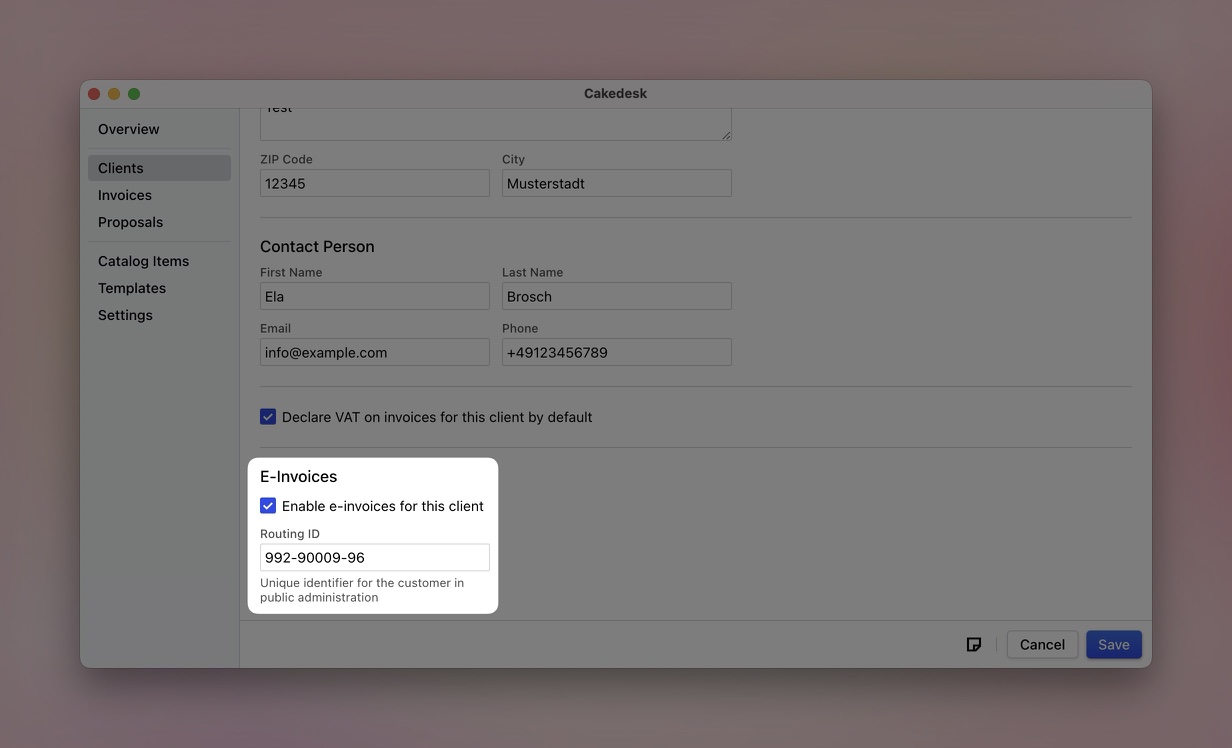
Go to the client you want to invoice and enable e-invoicing:
- Open the client's details
- Scroll to the "E-Invoices" section
- Check the box "Enable e-invoices for this client"
- Optionally enter a Routing ID (Leitweg-ID) if your client is in public administration
#3. Create your invoice
Create an invoice for this client as you normally would. When e-invoices are enabled for the client, you'll notice:
- The delivery date field is now required (mandatory for e-invoices)
- An E-Invoice References section appears with optional fields
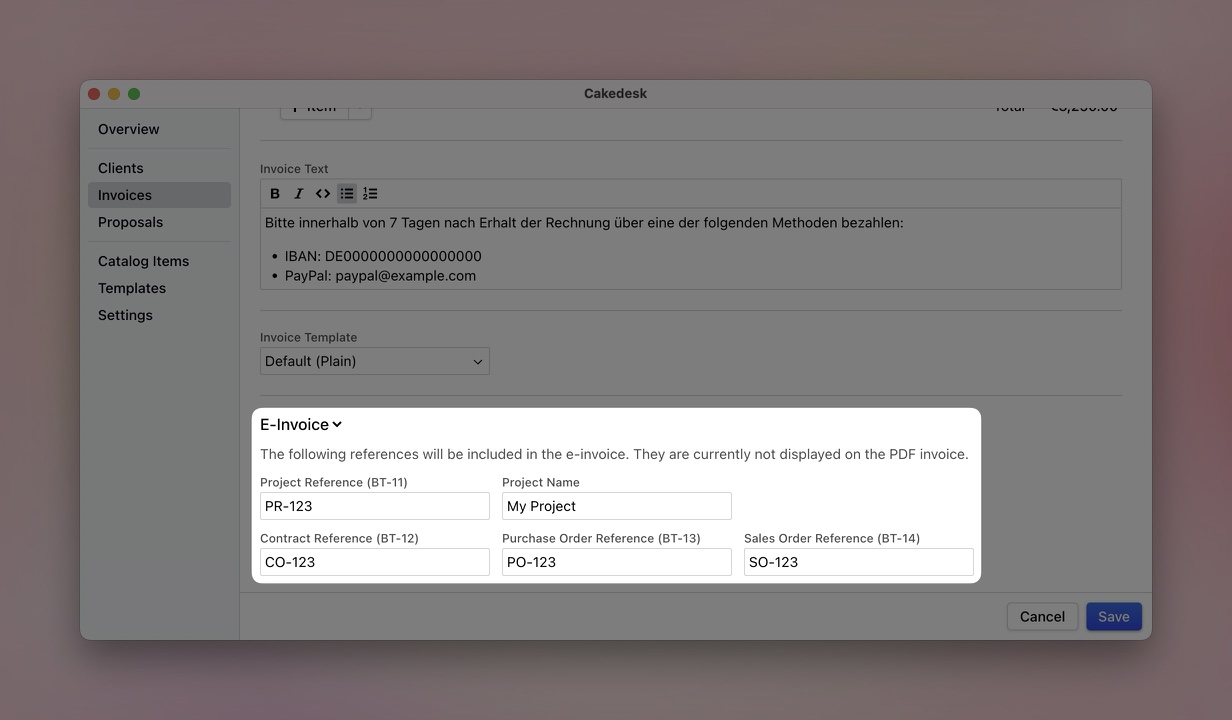
For more complex invoicing scenarios, you can add reference fields:
- Project Reference (BT-11): Link the invoice to a specific project
- Contract Reference (BT-12): Reference an underlying contract
- Purchase Order Reference (BT-13): Include the buyer's PO number
- Sales Order Reference (BT-14): Add your sales order number
These fields are included in the XML data but don't appear on the visible PDF.
#4. Export your ZUGFeRD invoice
After saving your invoice, right-click on it to access the export options:
- Open PDF (E-Invoice): Opens the ZUGFeRD PDF directly
- Export PDF (E-Invoice): Saves the ZUGFeRD PDF to your computer
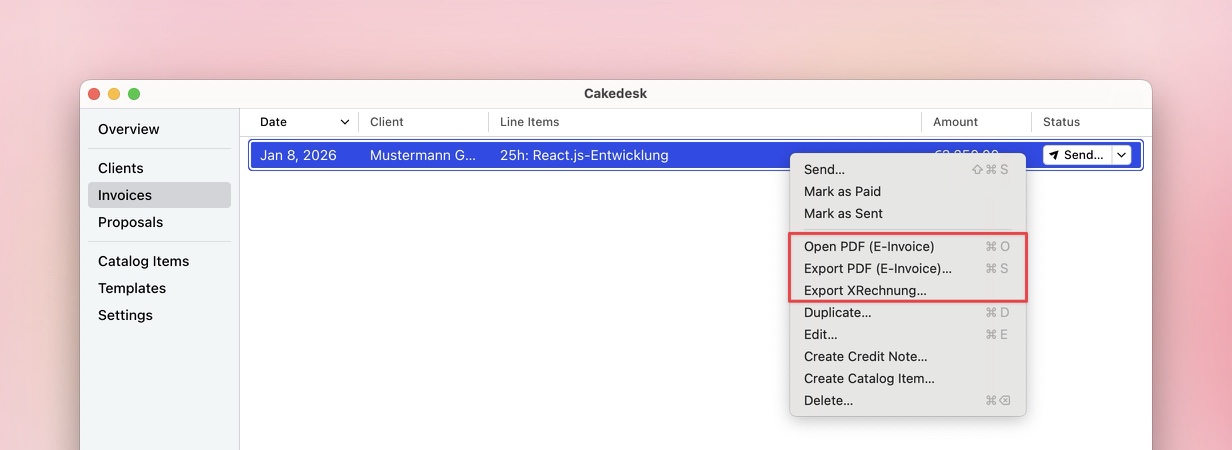
That's it! Your exported PDF now contains the embedded XML data that makes it a valid ZUGFeRD invoice.
#How to recognize a ZUGFeRD invoice
When you open a ZUGFeRD invoice in Adobe Acrobat, you can check whether the PDF contains an embedded XML file. Open the attachments panel. ZUGFeRD or Factur-X invoices often include a file such as factur-x.xml.
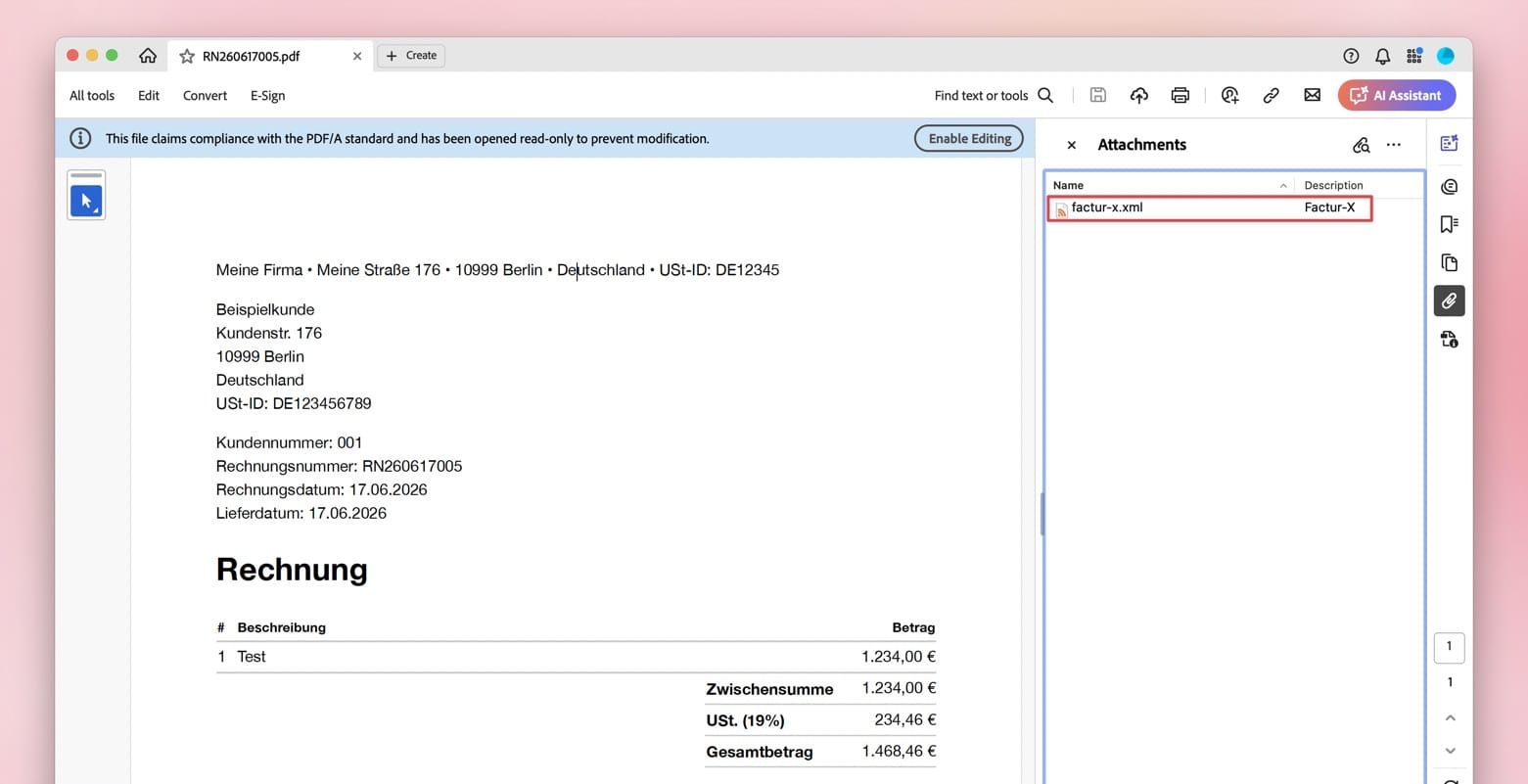
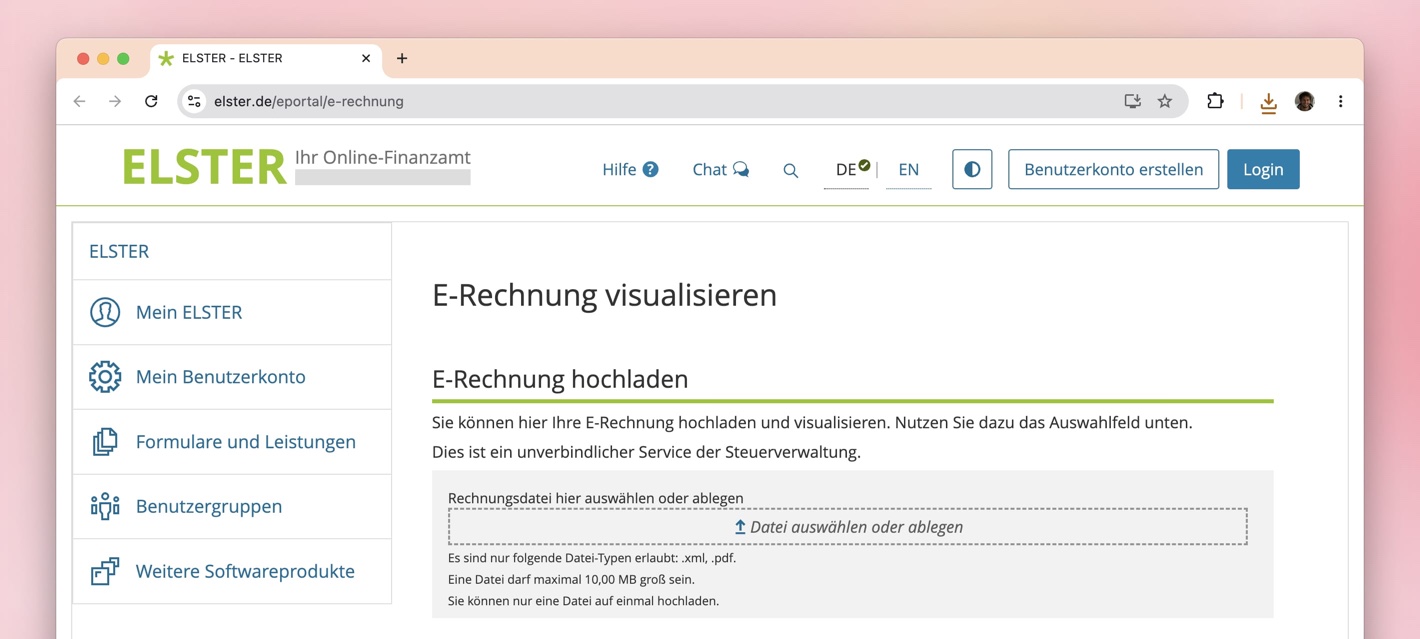
Important: the visible PDF content alone does not prove that the file is valid. If you want to be sure, upload the invoice to a validator, for example at elster.de.
#Download a sample ZUGFeRD invoice
If you want to inspect a ZUGFeRD invoice yourself, download this sample file:
👇 Download sample ZUGFeRD invoice
#ZUGFeRD or XRechnung?
If you're unsure which e-invoice format your client expects, check out this comparison: XRechnung vs. ZUGFeRD.
#Verify your ZUGFeRD invoice
Want to make sure your ZUGFeRD invoice is valid? You can verify it using online tools:
- Open your exported ZUGFeRD PDF
- Upload it to a validator like elster.de
- The validator will extract and check the embedded XML data
#Start creating ZUGFeRD invoices today
With Cakedesk, creating professional ZUGFeRD invoices is simple. Download Cakedesk and start sending compliant e-invoices to your German clients in minutes, there's no sign-up required.