
February 10, 2026
Creating unified templates for invoices and proposals
If you built your own template as a Cakedesk user, you used to need separate templates for invoices and proposals.
Since Cakedesk 1.28.0, you can create a single template that covers both document types.
Your existing templates continue to work without changes. Read on if you want to learn how to use the new features to build unified templates.
#Summary
Here is how to use unified templates for invoices and proposals in Cakedesk:
- Remove
documentTypesfrom yourtemplate.jsonor set it to["INVOICE", "PROPOSAL"] - Use the new
documentvariable instead ofinvoiceorproposal - Optional: Use the new helper functions like
getDocumentIdLabel()andgetDocumentTitle()
#How can I tell whether my template is unified?
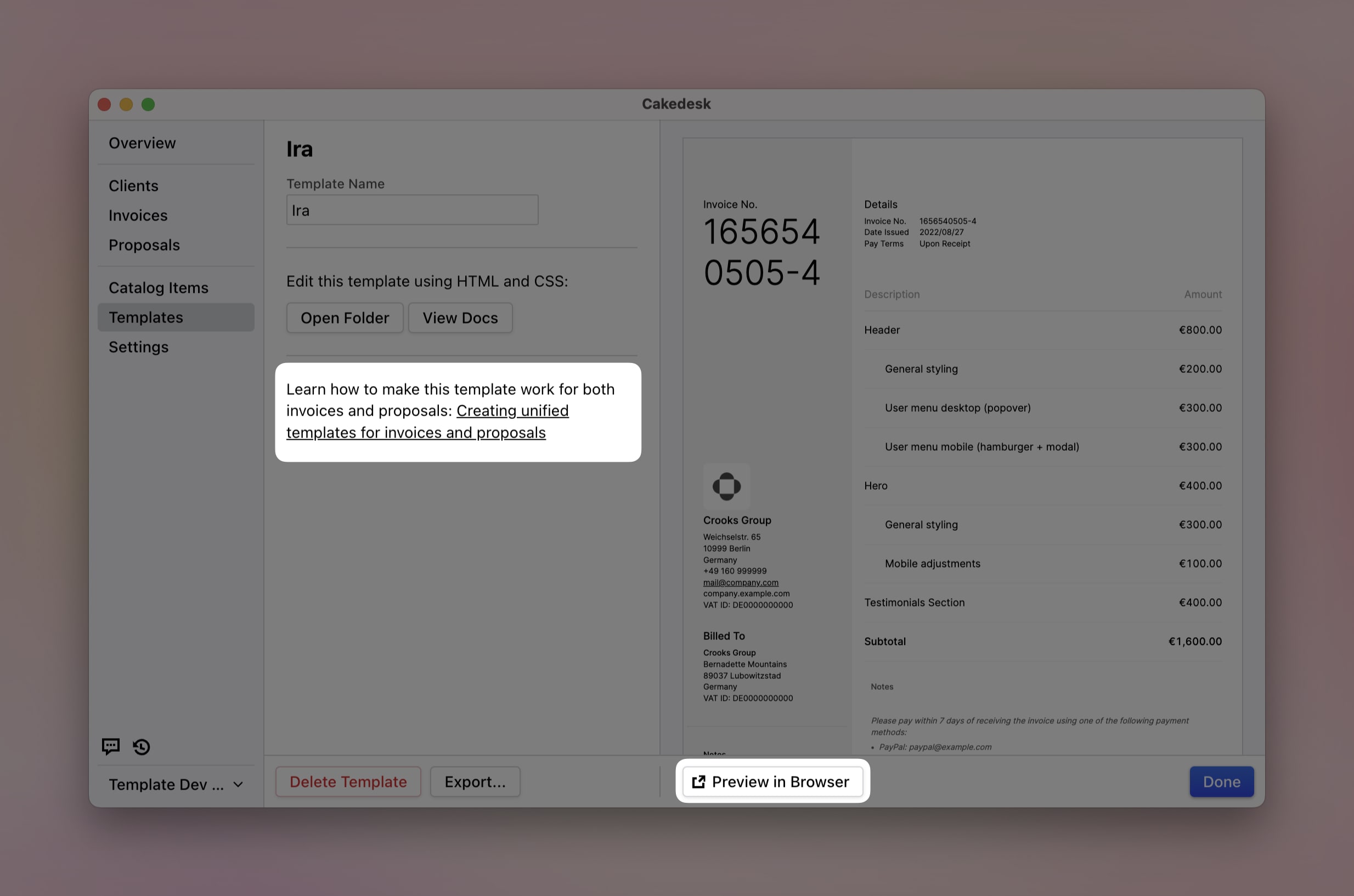
If you created your template before version 1.28.0 and open it in Cakedesk, you will see a hint that your template can be updated to support invoices and proposals.
You will also be missing the buttons to switch between the invoice and proposal preview.
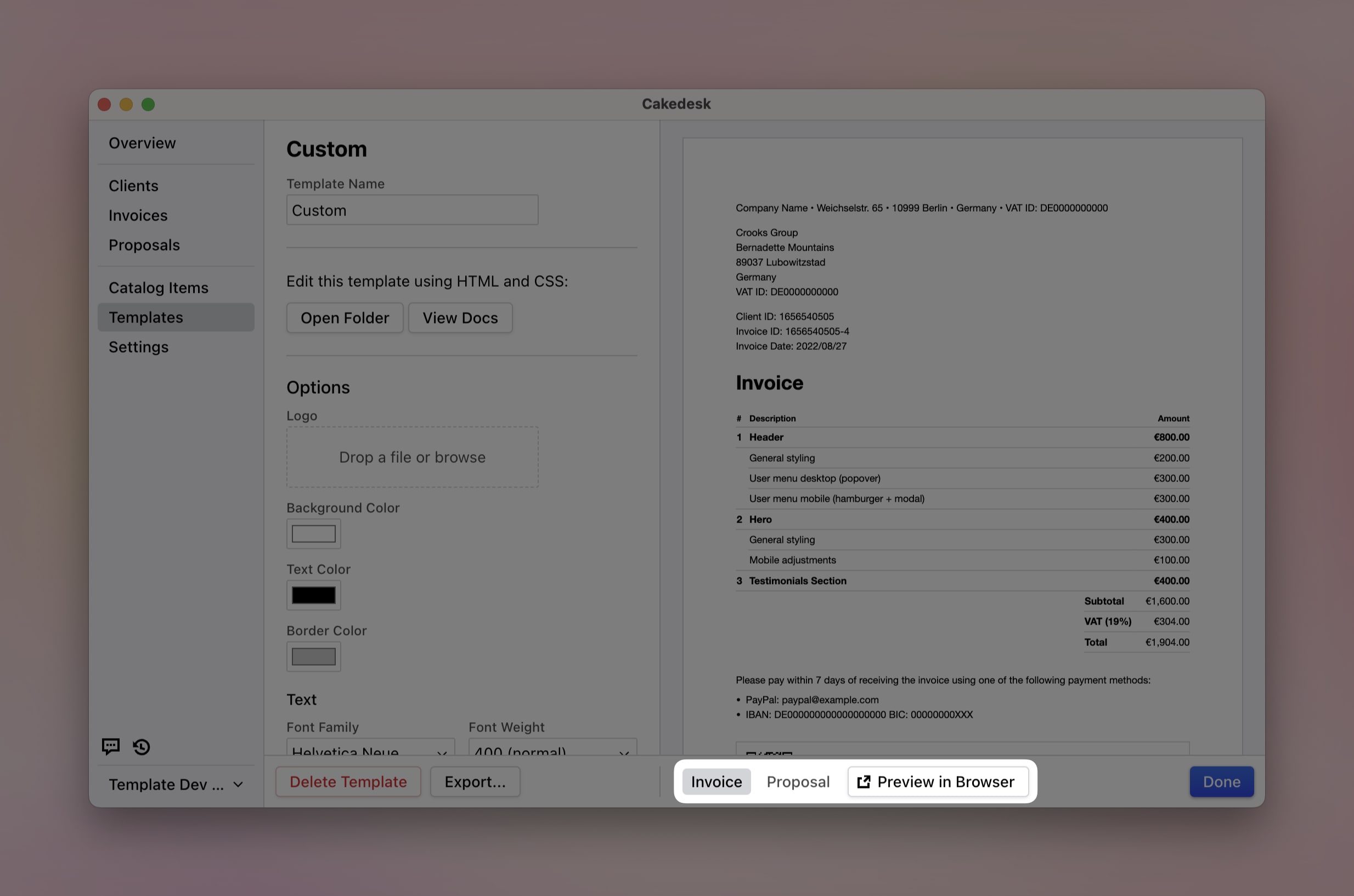
If you create a new template, it is unified by default and supports both invoices and proposals.
On the one hand, the hint above is missing. On the other hand, you can switch between invoice and proposal previews:
#Set 'documentTypes' in 'template.json'
Whether a template is unified or only supports invoices or proposals is
configured in the template.json file.
If you omit documentTypes, your template supports invoices and proposals by
default and is recognized as a unified template.
If you only want to support invoices or only proposals, you can set
documentTypes explicitly.
#Example: Unified template
{
    "name": "My Template"
}
#Example: Invoice template
{
    "name": "My Template",
    "documentTypes": ["INVOICE"]
}
#Example: Proposal template
{
    "name": "My Template",
    "documentTypes": ["PROPOSAL"]
}
#The new 'document' variable
Before version 1.28.0, templates used either the invoice variable (for invoice
templates) or the proposal variable (for proposal templates). Since version
1.28.0, the new document variable provides fields
for both document types.
The document variable replaces both invoice and proposal. Most field names
stay the same, but some have been unified to fit both document types. Here are
the most important changes:
| Old (invoices) | Old (proposals) | New (unified) |
|---|---|---|
invoice.invoiceId | proposal.proposalId | document.id |
invoice.invoiceDate | proposal.proposalDate | document.date |
invoice.invoiceText | N/A | document.outroText |
N/A | proposal.proposalText | document.introText |
invoice.taxSubtotalsV2 | proposal.taxSubtotalsV2 | document.taxSubtotals |
A complete reference of all document properties is available in the
Variables documentation.
For comparison, you can also check the old variables:
- New: Variables (unified)
- Old: Variables (invoices)
- Old: Variables (proposals)
#Backwards compatibility
All old templates continue to work exactly as before. The invoice and
proposal variables are still provided alongside the new variables.
You do not need to update your existing templates.
#The new 'documentType' variable
A new top-level documentType variable is available in all templates. It is
either 'INVOICE' or 'PROPOSAL' and is useful for conditional rendering. For
example:
<% if (documentType === 'INVOICE') { %>
    <p>Thank you for your business!</p>
<% } else { %>
    <p>We look forward to working with you.</p>
<% } %>
#New helper functions
Four new helper functions make it easier to write unified templates:
getDocumentIdLabel(): Returns "Invoice ID" or "Proposal ID" depending on the document typegetShortDocumentIdLabel(): Returns the short version of the ID labelgetDocumentDateLabel(): Returns "Invoice Date" or "Proposal Date"getDocumentTitle(): Returns "Invoice" or "Proposal: My Title"
See the helper functions documentation for more details.
#Declare stylesheets in 'template.json'
To make it easier to merge invoice and proposal templates, you can now specify
the stylesheets your template uses in the template.json file.
By default, Cakedesk expects a styles.css file in the same directory. You can
also declare it explicitly:
{
    "stylesheets": ["styles.css"]
}
If you want to use different stylesheets for invoices and proposals, you can configure them like this:
{
    "stylesheets": {
        "INVOICE": ["invoice-styles.css"],
        "PROPOSAL": ["proposal-styles.css"]
    }
}
#Template storage change
Inside the Cakedesk data folder, all custom templates now live in a single
templates/ folder (instead of separate invoiceTemplates/ and
proposalTemplates/ folders).
When you upgrade to the new Cakedesk version, your existing templates are moved automatically:
invoiceTemplates/mytemplate/->templates/mytemplate-invoice/proposalTemplates/mytemplate/->templates/mytemplate-proposal/
#Have fun!
I hope this update makes working with Cakedesk templates easier.
If you have questions or need help, get in touch! If a feature is missing for you, feel free to create a Feature Request or vote for existing requests.